Back up your data with Narbulut and stop data loss!
Back up your data with Narbulut
/*! elementor – v3.22.0 – 26-06-2024 */
.elementor-widget-text-editor.elementor-drop-cap-view-stacked .elementor-drop-cap{background-color:#69727d;color:#fff}.elementor-widget-text-editor.elementor-drop-cap-view-framed .elementor-drop-cap{color:#69727d;border:3px solid;background-color:transparent}.elementor-widget-text-editor:not(.elementor-drop-cap-view-default) .elementor-drop-cap{margin-top:8px}.elementor-widget-text-editor:not(.elementor-drop-cap-view-default) .elementor-drop-cap-letter{width:1em;height:1em}.elementor-widget-text-editor .elementor-drop-cap{float:left;text-align:center;line-height:1;font-size:50px}.elementor-widget-text-editor .elementor-drop-cap-letter{display:inline-block}
Merhaba,
With Narbulut, you can back up all your files to the cloud instantly and in versions. Narbulut application will constantly monitor all changes in the uploaded folders and files and retrieve the versions of your files. You will have the freedom to make mistakes even while working on important files. Because with Narbulut you will not experience data loss.
/*! elementor – v3.22.0 – 26-06-2024 */
.elementor-widget-image{text-align:center}.elementor-widget-image a{display:inline-block}.elementor-widget-image a img[src$=”.svg”]{width:48px}.elementor-widget-image img{vertical-align:middle;display:inline-block} 
/*! elementor – v3.22.0 – 26-06-2024 */
.elementor-column .elementor-spacer-inner{height:var(–spacer-size)}.e-con{–container-widget-width:100%}.e-con-inner>.elementor-widget-spacer,.e-con>.elem entor-widget-spacer{width:var(–container-widget-width,var(–spacer-size));–align-self:var(–container-widget-align-self,initial);–flex -shrink:0}.e-con-inner>.elementor-widget-spacer>.elementor-widget-container,.e-con>.elementor-widget-spacer>.elementor-widget-container{h eight:100%;width:100%}.e-con-inner>.elementor-widget-spacer>.elementor-widget-container>.elementor-spacer,.e-con>.elementor-widget-spacer> .elementor-widget-container>.elementor-spacer{height:100%}.e-con-inner>.elementor-widget-spacer>.elementor-widget-container>.elementor-sp acer>.elementor-spacer-inner,.e-con>.elementor-widget-spacer>.elementor-widget-container>.elementor-spacer>.elementor-spacer-inner{height: var(–container-widget-height,var(–spacer-size))}.e-con-inner>.elementor-widget-spacer.elementor-widget-empty,.e-con>.elementor-widget-s pacer.elementor-widget-empty{position:relative;min-height:22px;min-width:22px}.e-con-inner>.elementor-widget-spacer.elementor-widget-empty .elementor-widget-empty-icon,.e-con>.elementor-widget-spacer.elementor-widget-empty .elementor-widget-empty-icon{position:absolute;top:0;bottom:0;left:0;right:0;margin:auto;padding:0;width:22px;height:22px}
“Manage Easily! Store Safely! Use Anywhere!”
With Narbulut, you can manage your files from the application interface or from anywhere you want via the web panel. You can define rules and access files even if you are not at your computer.
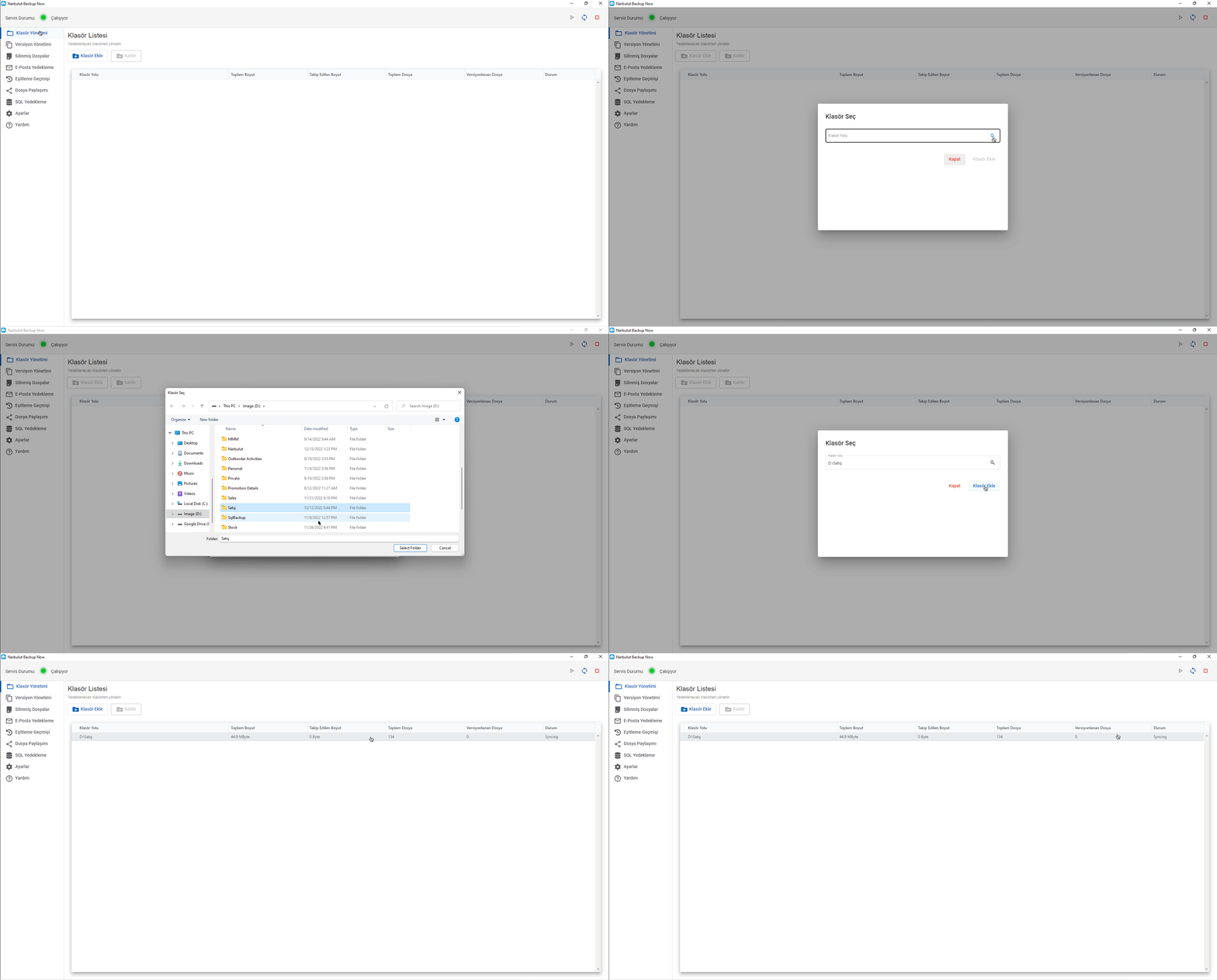
You can add the folders you want to back up to the cloud by clicking Folder Management on Narbulut Backup Now Agent.
“Your files are now backed up and safe with Narbulut…”
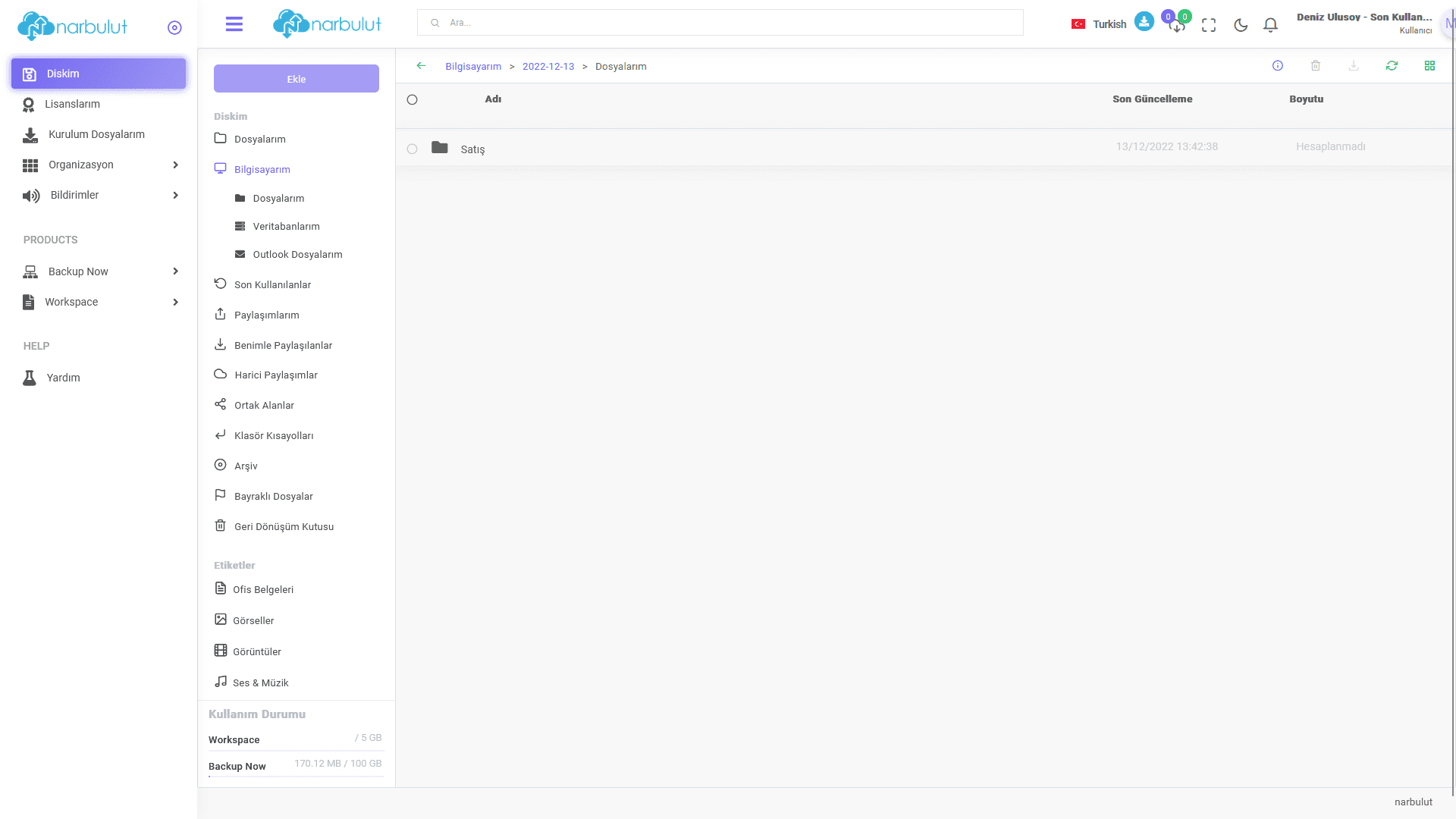
https://login.narbulut.comAfter logging in with your user information, you can see your files. You can access these files from anywhere you want.
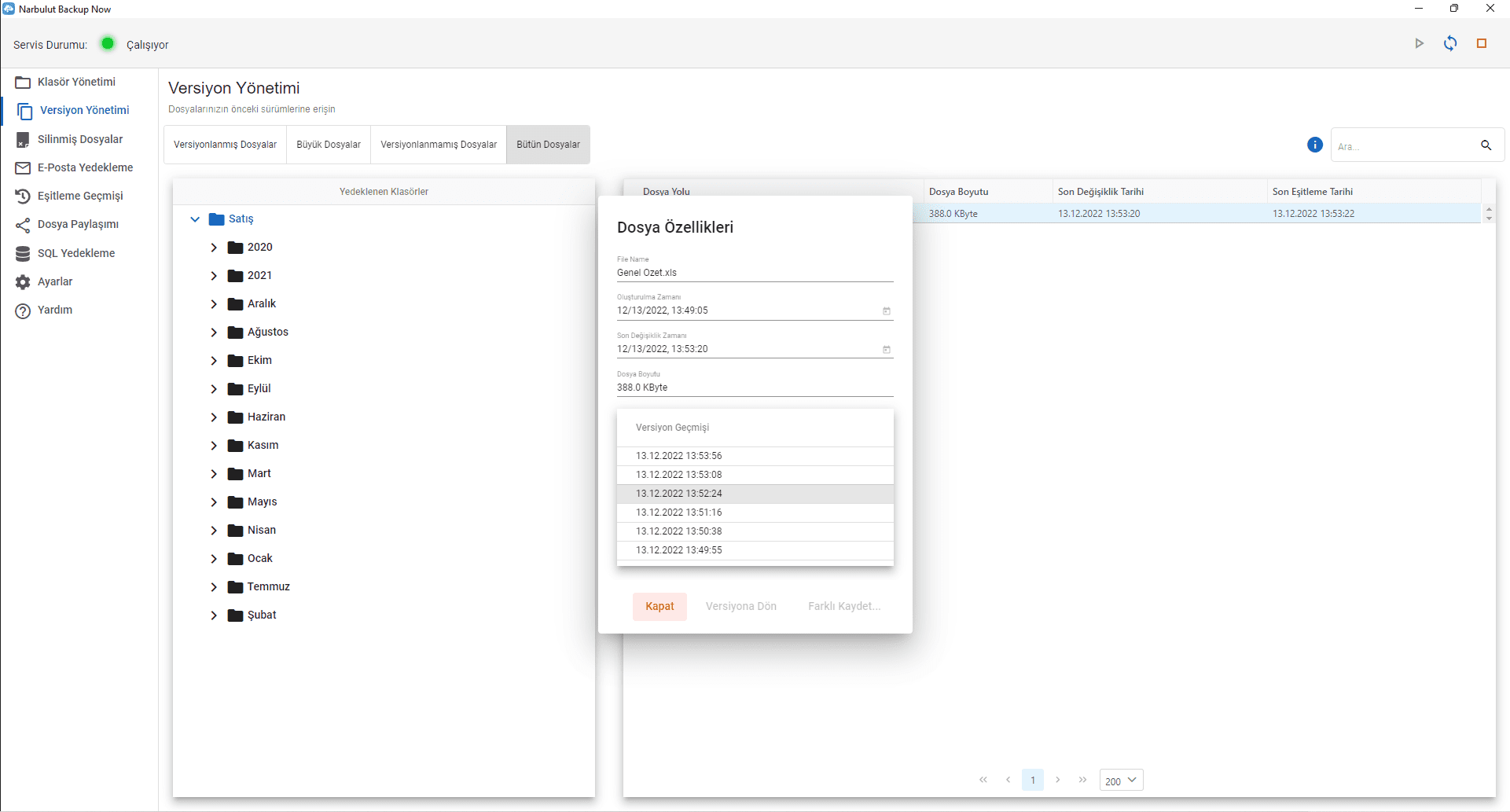
Regardless of the file type, you can back up your files and access all changes in your files via the Narbulut Backup Now application and web panel. Narbulut performs a full backup once, then tracks changes and backs up only the differences. The size of the file backed up in the cloud will be the same as the original file size. Versions of the file do not reduce your quota.
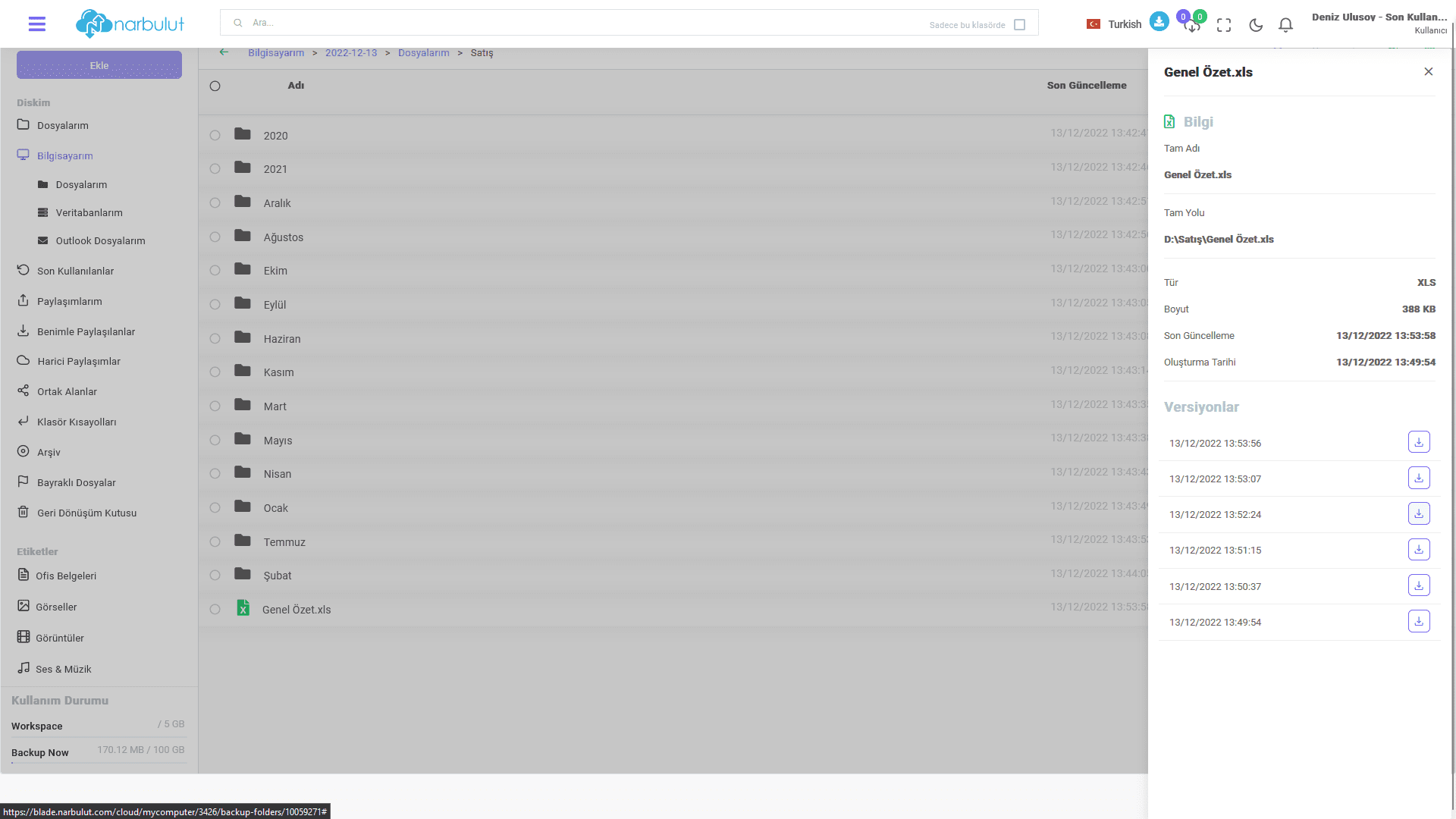
You can access your files with all their versions via the web panel. her yerden can access and the version you want indirebilirsiniz.
Have the Best Experience
Narbulut offers simple installation, effortless operation and extensive backup solutions. The most important feature that distinguishes Narbulut from its competitors is the care it shows to its customers and business partners.

