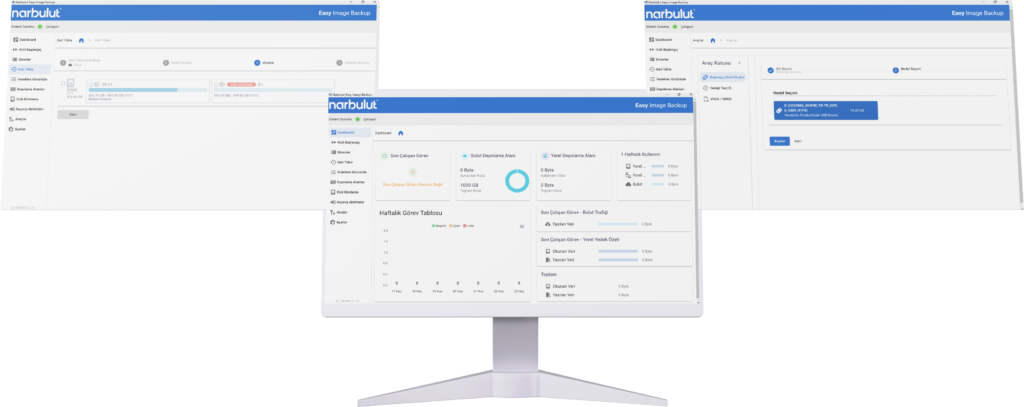
Narbulut Easy Image Backup securely protects all your data by taking disk or volume backups of computer and server systems. Take strong precautions against corporate disaster scenarios with hybrid storage support, central management panel and scheduled backup options.
Back up the entire disk of your computer and servers quickly and securely as a single image file.
Back up volume areas on your disk drives quickly and safely as image files.
Clone disks or partitions to other disk drives quickly and securely with one click.
You can back up your computer and server systems with full, incremental and differential backup methods.
Back up disk or volume image files hybridly to local and/or cloud storage.
Safely restore your backup to devices with physical or virtual hardware configuration.
Restore the files or folders you select from the image files you backed up.
Convert your disk image backups to VMDK, VHD, VHDX formats and add them as a hypervisor disk.
Start your device with Narbulut LiveOS. Restore your image backup from local or cloud storage.
Add NAS, SAN, disks and Narbulut storage areas and back up all infrastructures.
Determine how many days of backups you will keep with data retention policies.
Define NAS, SAN, and external drives as storage targets and keep your backups on your local infrastructure.
Automatically clean up old backups that exceed your defined retention period to optimize storage space.
Manage backup operations of your computers and servers remotely without connecting to your devices.
Manage your computers and servers more efficiently with different backup policies.
Be instantly informed about your backup operations and user transactions.
Manage all your business's data loads and user transactions from your private panel.
Protect your data and account against malicious people with two-factor identity management.
Your disk images are protected with AES-256 encryption before being transferred to the secure cloud environment.
Your backups are securely stored on redundant infrastructure in Tier-3 certified data centers in Turkey.
Eliminate downtime with enterprise backup and recovery.
Narbulut Easy Image Backup minimizes labor and data loss by quickly and reliably backing up and restoring the operating system of your devices.
80% of companies that experience data loss realize that they have lost data while trying to restore from backup. They experience an average of 6 months of workforce loss to compensate for these losses.
Check out Easy Image Backup plans that are right for you
Back up your important data with Narbulut Easy Image Backup application and solve your organization's business continuity with full protection without risk.
Annual Subscription
100 GB +
Windows 7 - 11
X64, Arm64
Full, Differential, Incremental
Disk Backup
Volume Backup
Local Backup
Cloud Backup
Hybrid Backup
Disk/Volume Cloning
Boot Disk Creation
Download the Free Narbulut
Mobile App!
Back up your mobile device for free with Narbulut Mobile App and manage the backup operations of all your devices from anywhere. Create, edit and share your documents with 5GB of free Drive space.
Experience Narbulut products for free. You can safely protect all your business's data loads with Narbulut products and manage them from anywhere. Discover now!
Yes. Depending on your needs, you can back up your entire disk as an image or by selecting only specific disk volumes such as C: or D:.
Your data is stored within the borders of Türkiye. Our data center is in the master location in Istanbul. It is backed up more simultaneously in different locations, which is a disaster scenario in itself.
Narbulut supports hybrid backup architecture. You can back up your data to Narbulut's secure cloud areas, to local disks or NAS devices in your office, or to both at the same time.
Narbulut "Startup Disk Creation Tool" saves lives. You can convert any USB memory into a startup disk (Bootable USB) with Narbulut recovery software. Even if your computer crashes, you can start the system with this USB and restore all your data and operating system.
Yes. Thanks to our "Universal Restore" (Hardware Independent Restore) technology, you can seamlessly install the image backup you have taken on a new computer whose brand, model or hardware components are completely different.
Narbulut Ürün Analizi
Adım 1/12
Şirketiniz için hangi alanda teknolojik bir iyileştirme planlıyorsunuz?
Veri Güvenliği ve YedeklemeFidye yazılımları, silinen dosyalar ve felaket kurtarma.
Bulut Sunucu (IaaS)Web sitesi, ERP, CRM veya uygulama barındırma.
Takım İçi İşbirliğiGüvenli dosya paylaşımı ve ofis dışı çalışma.
Nesne Depolama (S3)Yazılımcılar için Object Storage.
Hangi sektörde faaliyet gösteriyorsunuz?
Sağlık / MedikalHasta verileri (KVKK kritik).
Finans / MuhasebeHassas mali veriler.
Üretim / MühendislikCAD çizimleri ve üretim planları.
Diğer / Genel HizmetOfis dokümanları ve genel veriler.
Korunması gereken cihazların türü nedir?
Personel BilgisayarlarıLaptop ve masaüstü son kullanıcı cihazları.
Fiziksel / Sanal SunucularDatabase, Active Directory veya File Server.
Yedekleme stratejiniz nasıl olmalı?
Dosya ve Klasör BazlıSadece önemli iş dosyaları (XLS, PDF, SQL) yedeklensin.
Tam Disk İmajı (Image)İşletim sistemi dahil "Her Şey" yedeklensin.
Buluta yedekleme için Upload hızınız nasıl?
Fiber / Yüksek HızBüyük verileri hızlıca gönderebilirim.
Standart / ADSLHızım sınırlı, sıkıştırma önemli.
Fidye yazılımları (Ransomware) tehdit mi?
Evet, Çok KritikGeçmişte yaşadık veya risk altındayız.
Standart Koruma YeterliTemel yedekleme önlemleri yeterli.
Versiyonları ne kadar saklamak istersiniz?
30 - 90 GünYakın tarihli hataları düzeltmek için.
1 Yıl ve ÜzeriYasal zorunluluklar veya arşiv.
Sunucunun birincil görevi ne olacak?
E-Ticaret / Web SitesiYüksek uptime ve hız gerekiyor.