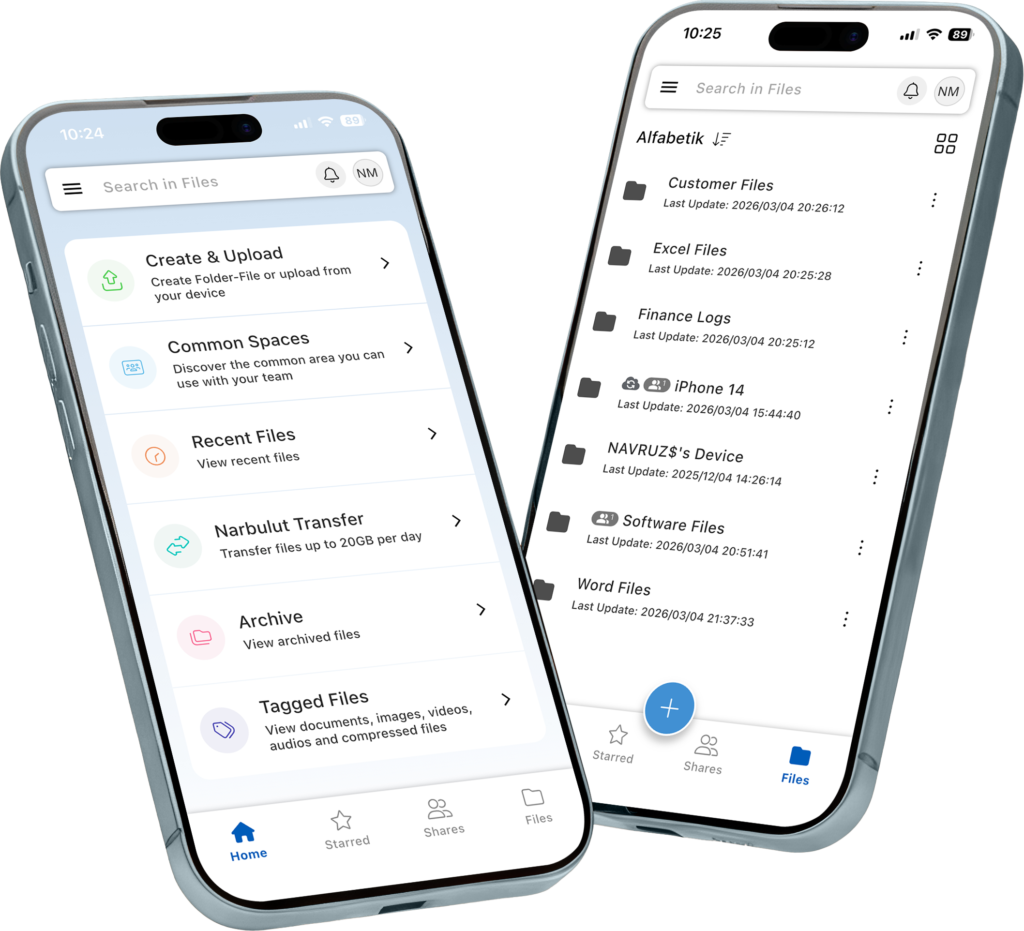
You can back up your contacts, photos and videos with Narbulut Mobile App. You can store and share your files and folders and collaborate with your teammates.
Automatically backup contacts saved in your phone book. View or restore from the cloud whenever you need.
Automatically backup your photo gallery. View or restore from the cloud whenever you need.
Automatically backup your video gallery. View or restore from the cloud whenever you need.
With free online office applications, create documents, spreadsheets, presentations etc. from all your devices without needing an additional license, and work from anywhere.
Edit all your created or uploaded documents from anywhere, on any device. Continue your work where you left off.
Upload your files and folders from all your devices. Always carry your data safely with you.
Scan and archive your written documents as .pdf with the document scanning feature.
Share a safe space with your business partners who are not Narbulut users. Collaborate in the same folder. Increase your productivity.
Share files and folders with your in-house colleagues with a single click. Work on the same document simultaneously.
Have no trouble transmitting your big data. Create and share a link to your file or folder. Send your large data in seconds.
Create folders in the public area and authorize your users. Collaborate from anywhere.
Work on the same file at the same time with your team. Instantly see changes made by users.
Don't worry about email sending size limits. Install Narbulut Outlook add-on. Send your large files easily by labeling them in your e-mails.
Without needing an office applications license, Create, edit and share your documents. Document in real time with your colleagues Work on it together.
Without needing an office applications license, Create, edit and share spreadsheets. real-time spreadsheets with your colleagues Work on it together.
Without needing an office applications license, Create, edit and create professional presentations share. Simultaneously with your colleagues Collaborate on presentations.
Your documents, spreadsheets and presentation files synced from anywhere, across all your devices Create, edit and share. Extra license do not pay the fee.
All your users can use the folders you create in the Common Area within their authorization. When your quota is full, you can instantly upgrade to a higher package.
Individual Area is a user-specific area. You can use 5GB of individual space for free. When your quota is full, you can instantly upgrade to a higher package.
With the nDocs Workspace package, you purchase a Common Area and can create Unlimited Users. 5GB free Individual Space is defined for each user.
Versions are not reflected in your quota. All changes you make to your files are kept as versions. Unlimited Versions in the last 1 month, the last version of each month and the previous version for 10 months retrospectively The last version of the year is kept by default. Whatever the file size on your computer is, the size that appears in your Narbulut quota is the same.
Even if your quota is full, you can continue your studies up to 10% more.
You can edit notification options from Narbulut administration panel. Follow all notifications instantly.
You can edit report options from the Narbulut administration panel. Determine which reports you want to receive, to which email address, and how.
Download Narbulut Mobile App. Follow all notifications and reports instantly. Intervene instantly with the mobile application.
Collect your memories with Narbulut and share them with your loved ones!
Automatically backup your video gallery. View from the cloud and share with your loved ones with Narbulut Mobile App.
Backup and restore your phone contacts automatically!
Transfer your contacts easily and quickly when you change your device. Install Narbulut Mobile App on your new device and restore the backup of your contacts.
Back up your mobile device for free with Narbulut Mobile App and manage the backup operations of all your devices from anywhere. Create, edit and share your documents with 5GB of free Drive space.
Experience Narbulut products for free. You can safely protect all your business's data loads with Narbulut products and manage them from anywhere. Discover now!
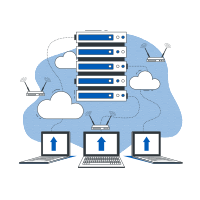
Regardless of the size of your data and the number of users, you can manage all your data through a central panel. You can track your users and their backup status, and easily protect your data against the risks of data loss, such as external ransomware and cyber attacks, hardware failures, malicious people, etc.
No. Narbulut mobile application is completely free for all our users with a Narbulut license.
Yes. Thanks to the integrated office editors in the mobile application, you can access and edit the office files on your computer from your phone.
No, it won't disappear. When you activate the mobile backup feature, your contacts and media are stored in the secure cloud area. When you install the Narbulut application on your new phone, you will access everything from where you left off.
No, they will not be deleted. Photos you delete from your phone are not removed from your cloud backup. Your backed-up data remains securely stored in your workspace with no time limit. You can safely delete local files to free up space on your phone and restore them from the cloud whenever you need.
Narbulut Ürün Analizi
Adım 1/12
Şirketiniz için hangi alanda teknolojik bir iyileştirme planlıyorsunuz?
Veri Güvenliği ve YedeklemeFidye yazılımları, silinen dosyalar ve felaket kurtarma.
Bulut Sunucu (IaaS)Web sitesi, ERP, CRM veya uygulama barındırma.
Takım İçi İşbirliğiGüvenli dosya paylaşımı ve ofis dışı çalışma.
Nesne Depolama (S3)Yazılımcılar için Object Storage.
Hangi sektörde faaliyet gösteriyorsunuz?
Sağlık / MedikalHasta verileri (KVKK kritik).
Finans / MuhasebeHassas mali veriler.
Üretim / MühendislikCAD çizimleri ve üretim planları.
Diğer / Genel HizmetOfis dokümanları ve genel veriler.
Korunması gereken cihazların türü nedir?
Personel BilgisayarlarıLaptop ve masaüstü son kullanıcı cihazları.
Fiziksel / Sanal SunucularDatabase, Active Directory veya File Server.
Yedekleme stratejiniz nasıl olmalı?
Dosya ve Klasör BazlıSadece önemli iş dosyaları (XLS, PDF, SQL) yedeklensin.
Tam Disk İmajı (Image)İşletim sistemi dahil "Her Şey" yedeklensin.
Buluta yedekleme için Upload hızınız nasıl?
Fiber / Yüksek HızBüyük verileri hızlıca gönderebilirim.
Standart / ADSLHızım sınırlı, sıkıştırma önemli.
Fidye yazılımları (Ransomware) tehdit mi?
Evet, Çok KritikGeçmişte yaşadık veya risk altındayız.
Standart Koruma YeterliTemel yedekleme önlemleri yeterli.
Versiyonları ne kadar saklamak istersiniz?
30 - 90 GünYakın tarihli hataları düzeltmek için.
1 Yıl ve ÜzeriYasal zorunluluklar veya arşiv.
Sunucunun birincil görevi ne olacak?
E-Ticaret / Web SitesiYüksek uptime ve hız gerekiyor.