Narbulut Reporting and Notification Service
Narbulut offers users comprehensive notification and reporting services.
Merhaba,
Being up to date on data backup, data security and data integrity and being aware of what is happening in the field they serve is the top priority of today’s businesses. Many companies trying to provide these services ignore informing their users about the processes or provide these services for a fee.
Narbulut offers comprehensive notification and reporting services to all its users without any additional fee. It facilitates business partners’ business processes regarding backup, data security and data integrity. It allows you to be instantly informed of all processes.

How does the reporting and information service work?
Our reporting service has a wide variety of ready-made reports for important activities that every user wants to be informed about. Narbulut reporting and notification service works hierarchically and automatically.
Dealers are at the top of the hierarchical structure; It is informed about all the basic activities of its customers and the end users connected to these customers.
Customers are in the second layer; customer managers are kept informed about all key activities of end users.
End users are at the last layer, they are informed about their own activities.
In the screenshot below you can see an example of an email regarding the SQL versions report.
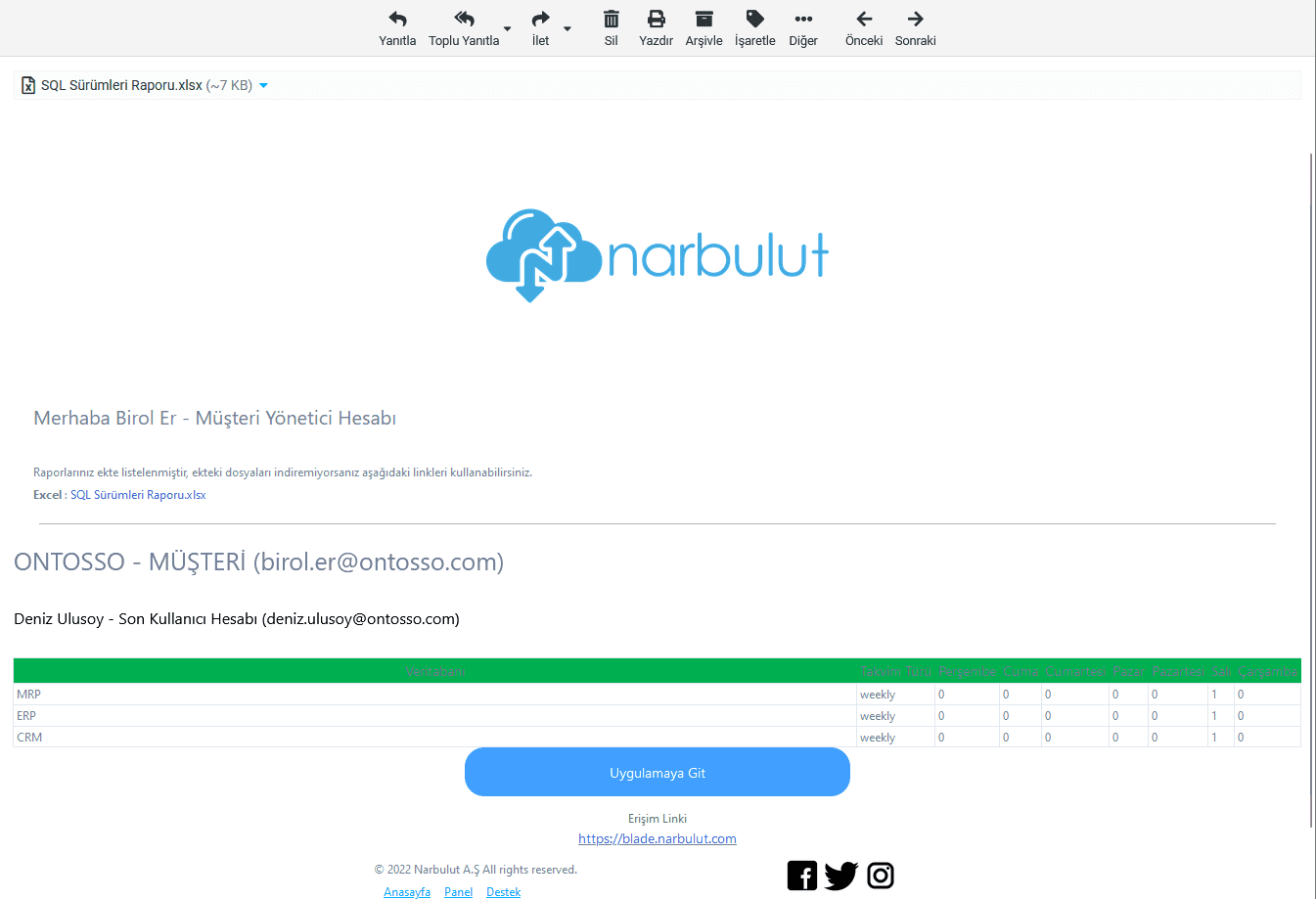
“Thanks to Narbulut, you will not miss anything and intervene in every necessary situation.
“You can.”
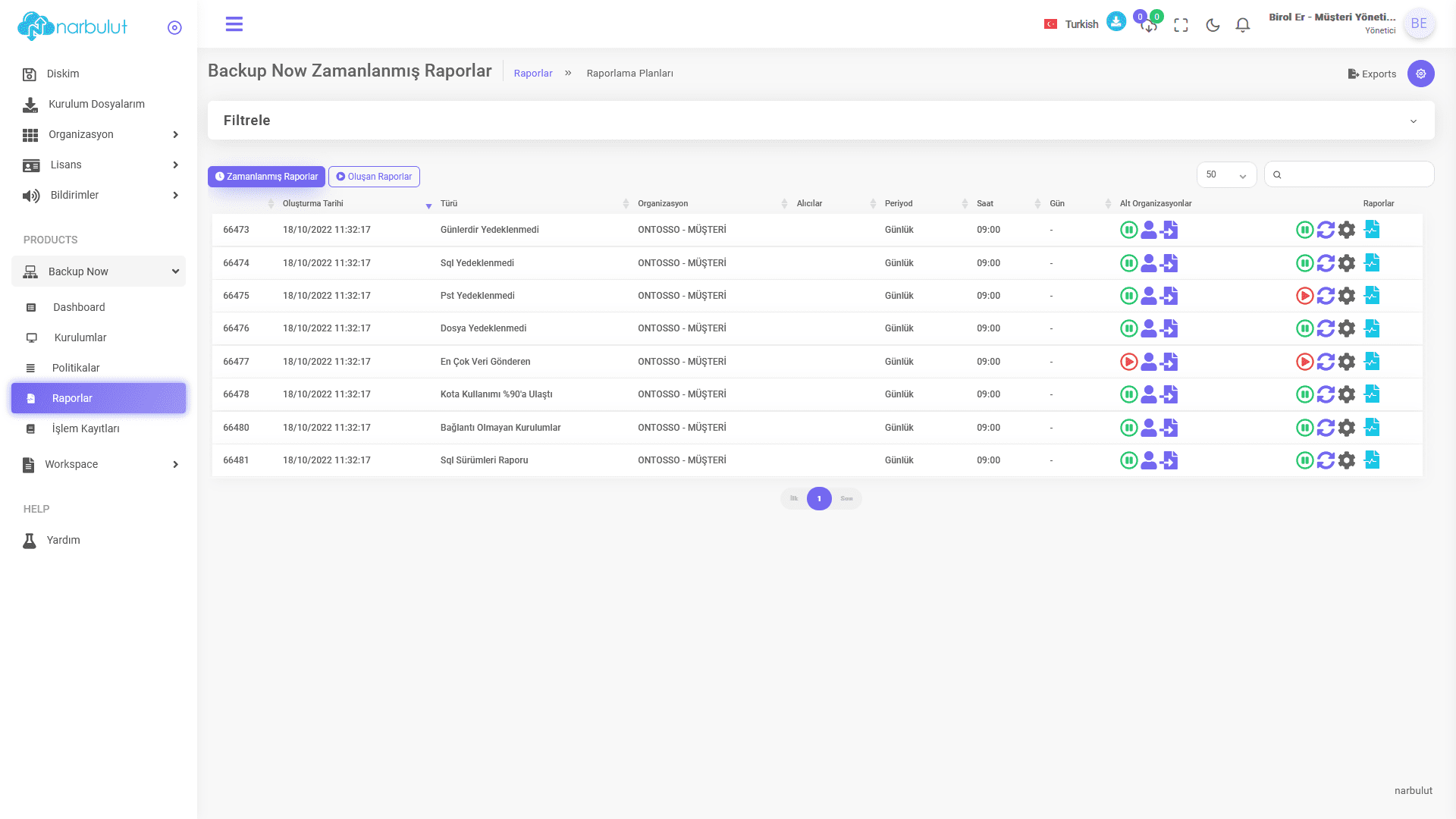
After logging in to the administrator account, you can see the daily scheduled ready reports by clicking on the Products / Backup Now / Reports menu.
Here are the reports you’ll see:
- Report: No Backup for Days: This is the report sent if any of the backup operations cannot be performed for 4 days or more.
- SQL Yedeklenmedi Raporu : This is the report sent when a SQL database is not backed up for any reason.
- Pst Yedeklenmedi Raporu : This is the report sent when your e-mail files with .PST extension are not backed up.
- Dosya Yedeklenmedi Raporu : This is the report sent when a file type is not backed up for any reason.
- Top Data Sender Report: This is the report in which the list of users who sent the most data is sent.
- Quota Usage Reached 90% Report: This is the report sent when users’ quota status exceeds 90% usage.
- Disconnected Installations Report: This is a report that lists the devices that cannot connect to Narbulut services even though the Narbulut Backup Now application is installed.
- SQL Versions Report: It is the report sent to see how many times SQL backup tasks back up your databases per day.
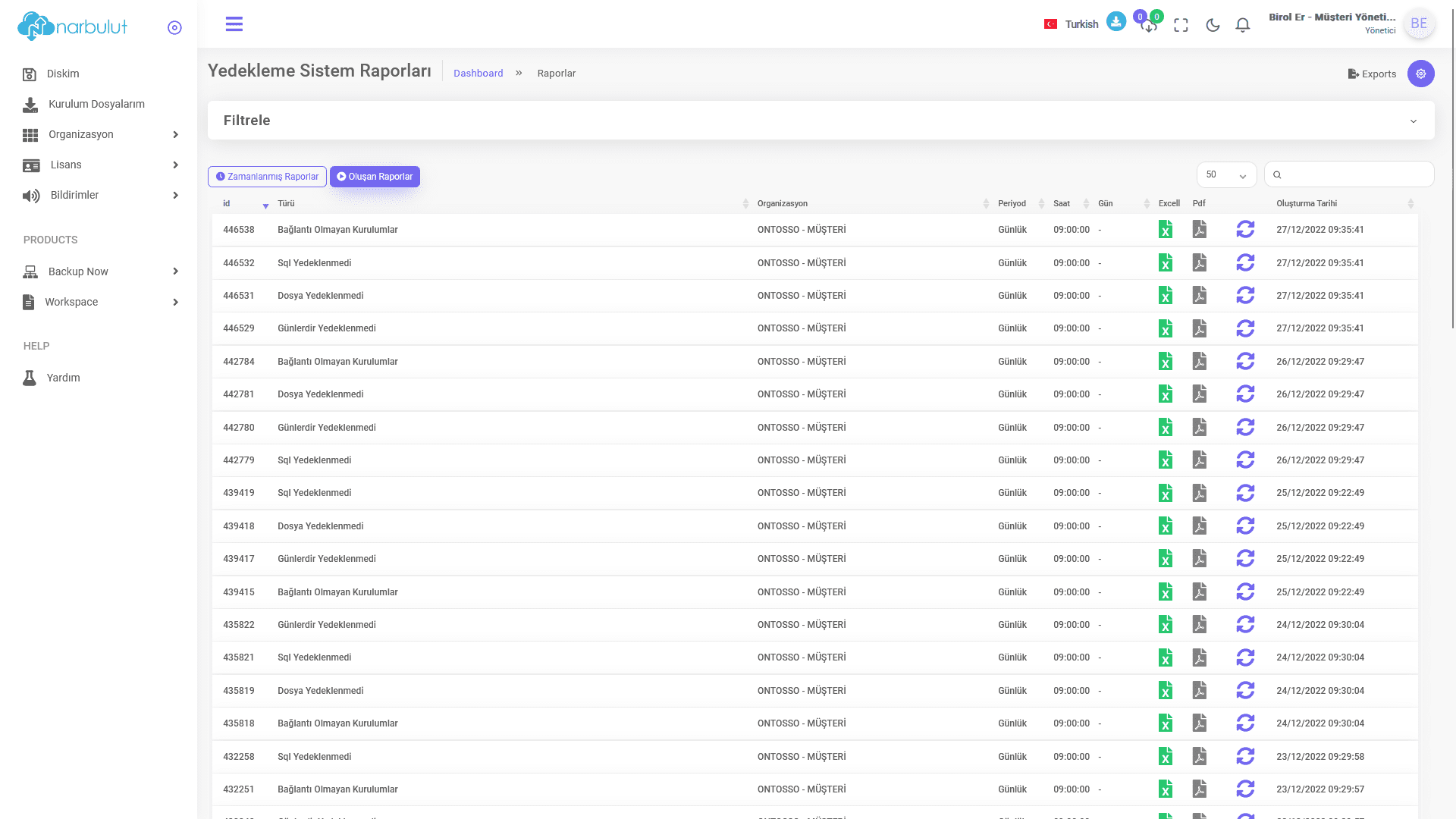
You can make the adjustments you need by clicking Scheduled Reports in the Products / Backup Now / Reports menu in the administrator account. You can add or remove report recipients based on the role definitions in your organization. You can add a CC recipient to send reports to. You can view your reports created or sent by e-mail in the ‘Created Reports’ section on the same screen and re-send them by e-mail.
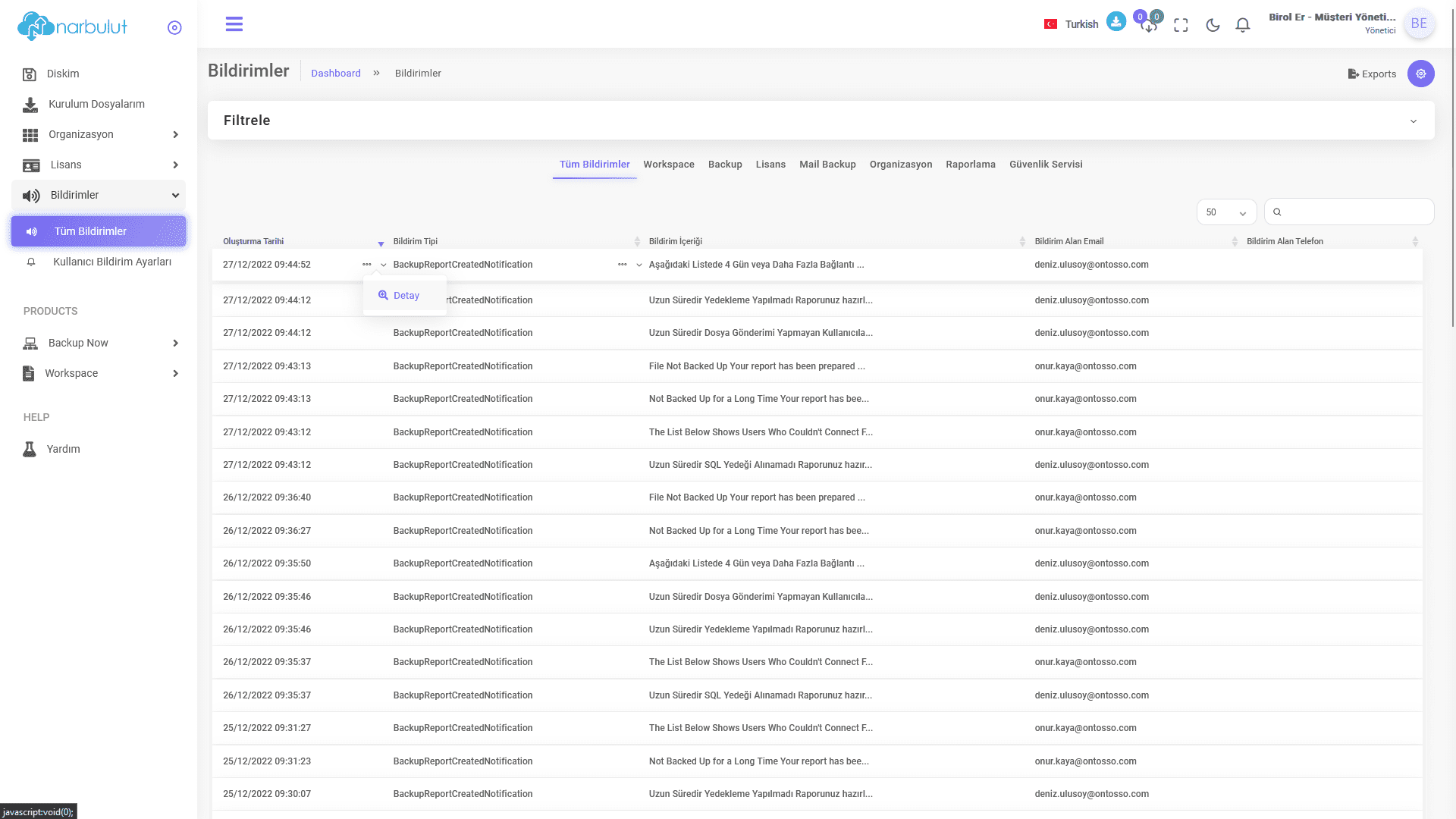
While in the administrator account, you can check all notifications sent to your organization’s users as a customer manager or dealer from the ‘Notifications’ section on the left menu and view the details by clicking on the ‘Detail’ option. You will be informed about all processes related to your organizations.
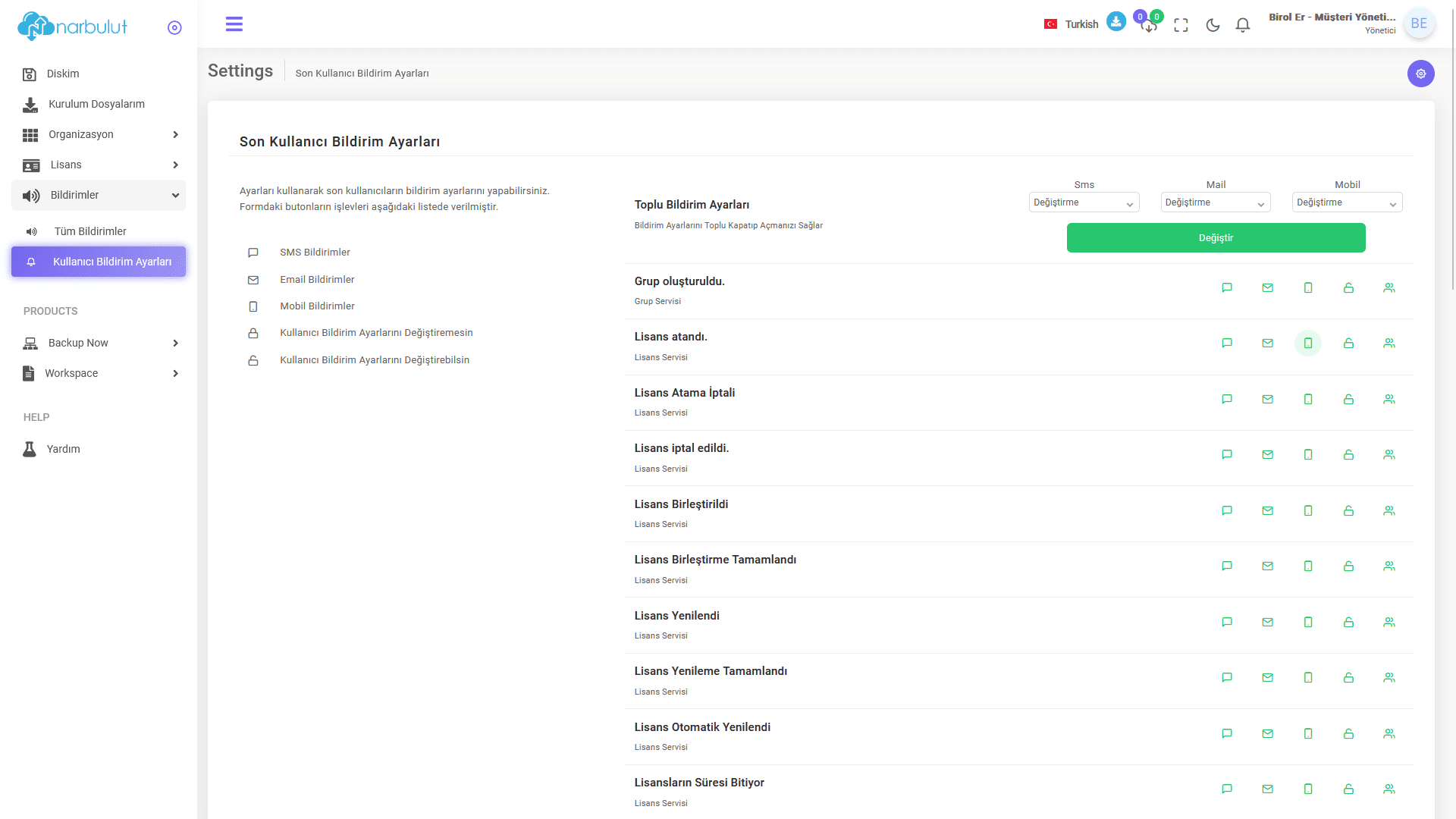
As a customer administrator, you can manage end user notifications. You can toggle them collectively or turn them on and off individually. If you are a reseller, you can manage these for both customers and end users.
Notifications you can see and manage;
- Group created
- License appointed
- Lisans atama iptali
- Lisans iptal edildi
- License merged
- License merging completed
- Lisans yenilendi
- License renewal completed
- Lisans otomatik yenilendi (If the automatic renewal process was activated when the license was assigned, it will be automatically renewed when the license expires. You will receive a notification when the process is completed.)
- Licenses expire
- License has expired
- Package assigned
- Paket iptal edildi
- Paket atama iptali
- Paket otomatik olarak yenilendi
- Package expires
- Package expired
- Report created
- Shared
- Share updated
- Shared item edited
- Sharing period has expired
- shared uploaded
- Too many items were deleted
- Too many incorrect login attempts
- Incorrect account detected
- Failed to initialize database backup (If the database cannot back up the task for any reason)
- Database added to database backup task
- Database backup task added (If a new SQL backup task is created)
- Database backup task removed
- Toplu dosya silindi
- Watched files were deleted (Yedekleme listesinden bir dosya silinirse)
- Low disk space (Notifies you when you are running low on disk space on the computer)
"Narbulut always cares about you, prevents you from losing data and helps you focus on your business.
 It helps."
Have the Best Experience
Narbulut offers simple installation, effortless operation and extensive backup solutions. The most important feature that distinguishes Narbulut from its competitors is the care it shows to its customers and business partners.

