How to Backup to Narbulut Object Storage Service (NOSS S3) with Veeam?
Back up easily with Narbulut!
How to Backup to Narbulut Object Storage Service (NOSS S3) with Veeam?
What is Object Storage?
Object Storage is a storage architecture used in cloud computing that allows users to store large amounts of files and access these files from anywhere. The Object Storage storage method stores users’ files in buckets as objects, each with a unique key.
Narbulut’s Object Based Storage Service
You can store your data in Narbulut Object Storage Service (NOSS), Narbulut’s object-based storage infrastructure. This article; uyumlu In Veeam Backup and Replication versions, it will talk about how to use NOSS as a backup repository.
NOSS’u Yedek Deposu (Backup Repository) olarak Kullanma
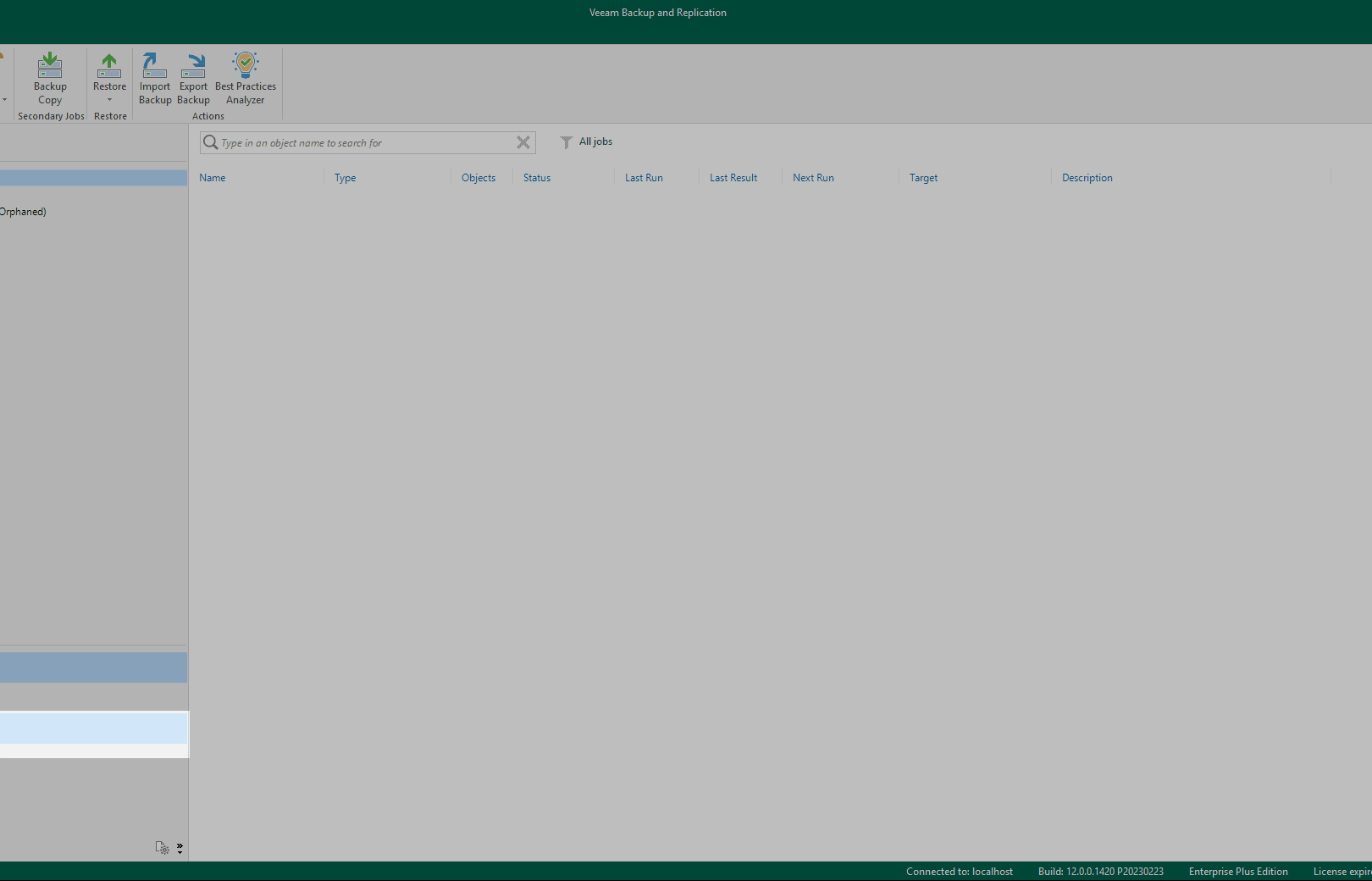
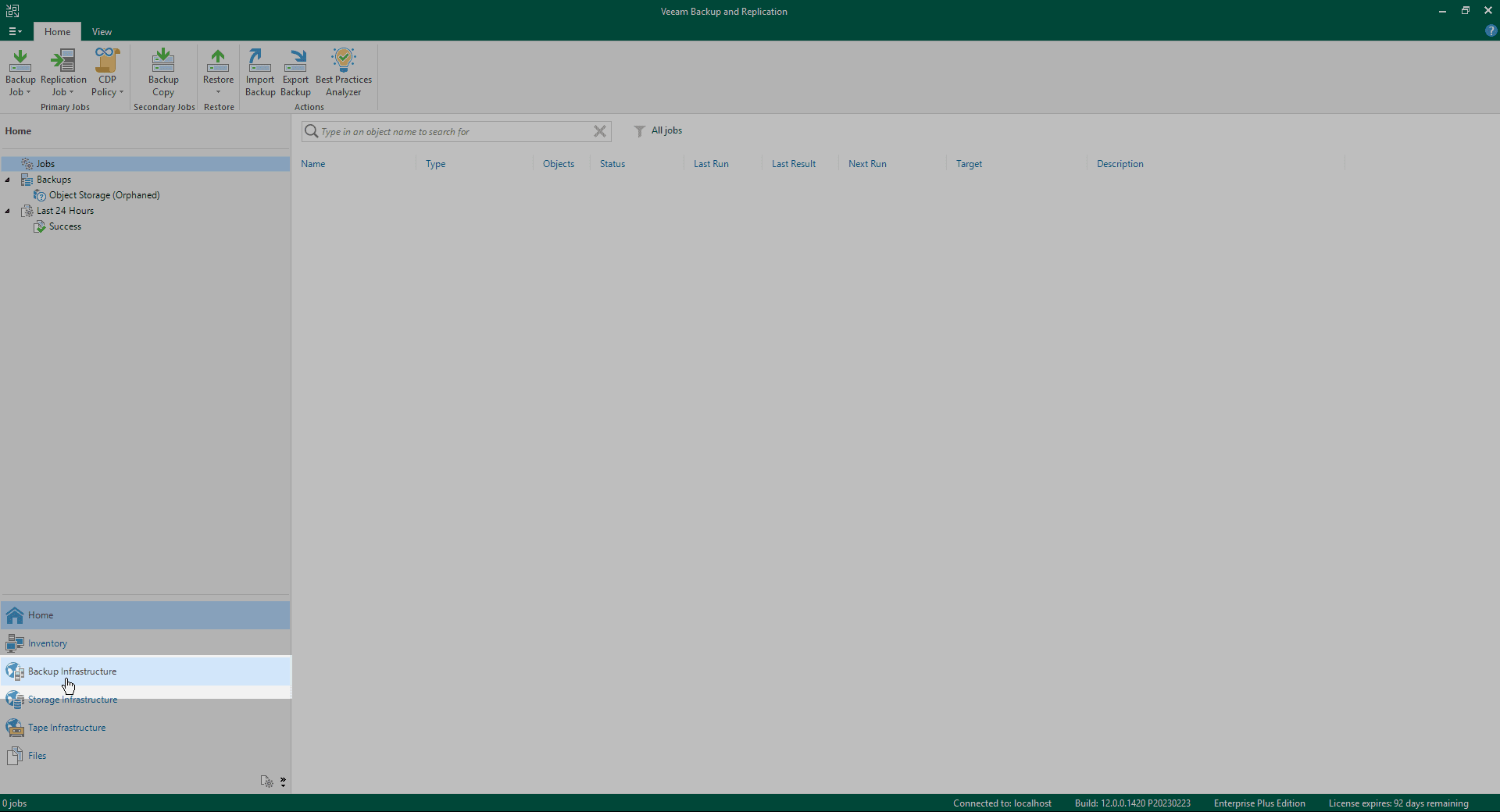
1. Log in to Veeam Backup and Replication. From the toolbar in the bottom left Backup Infrastructure enter the menu.
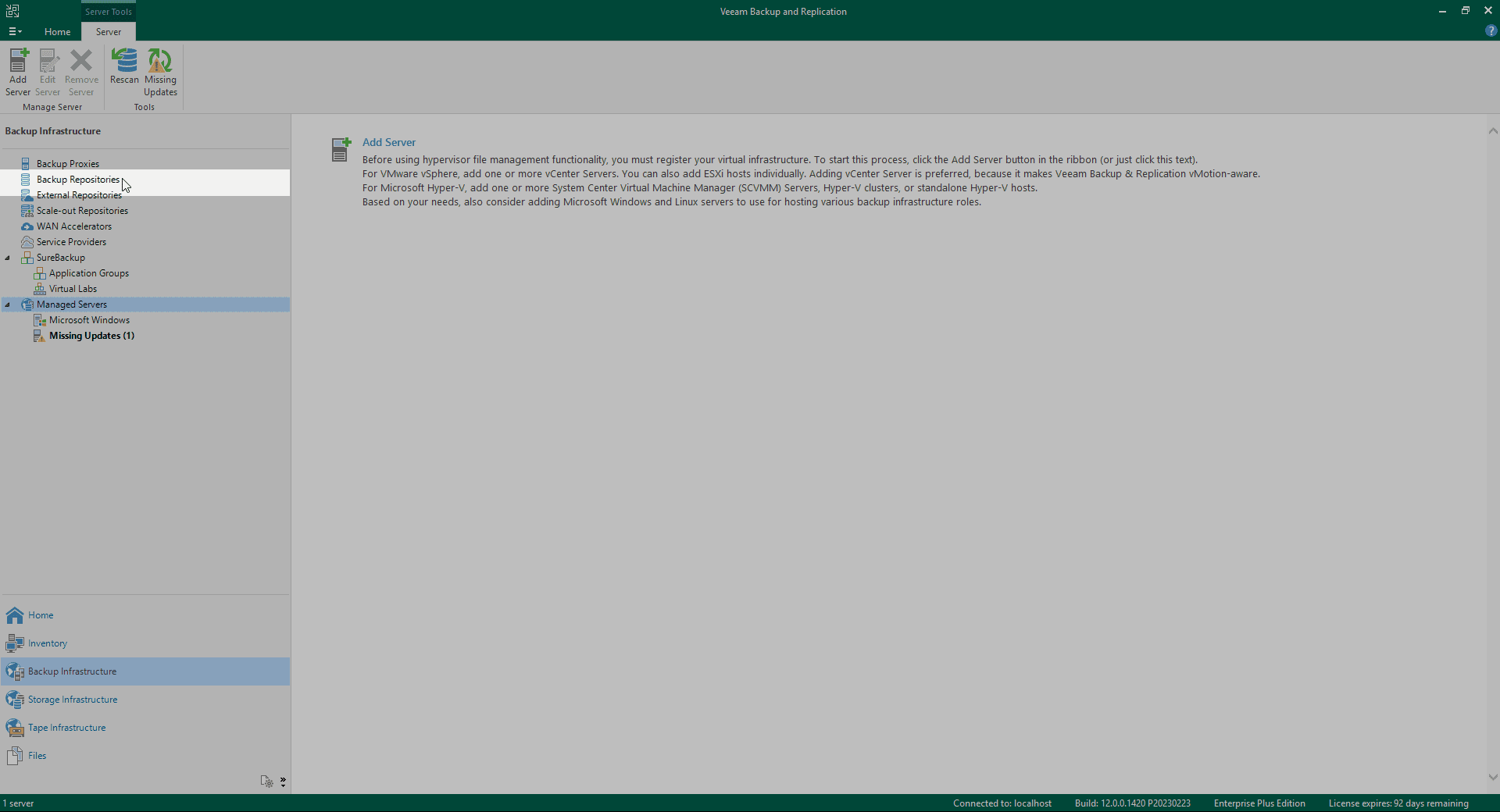
2. From the left toolbar Backup Repositories enter the menu.
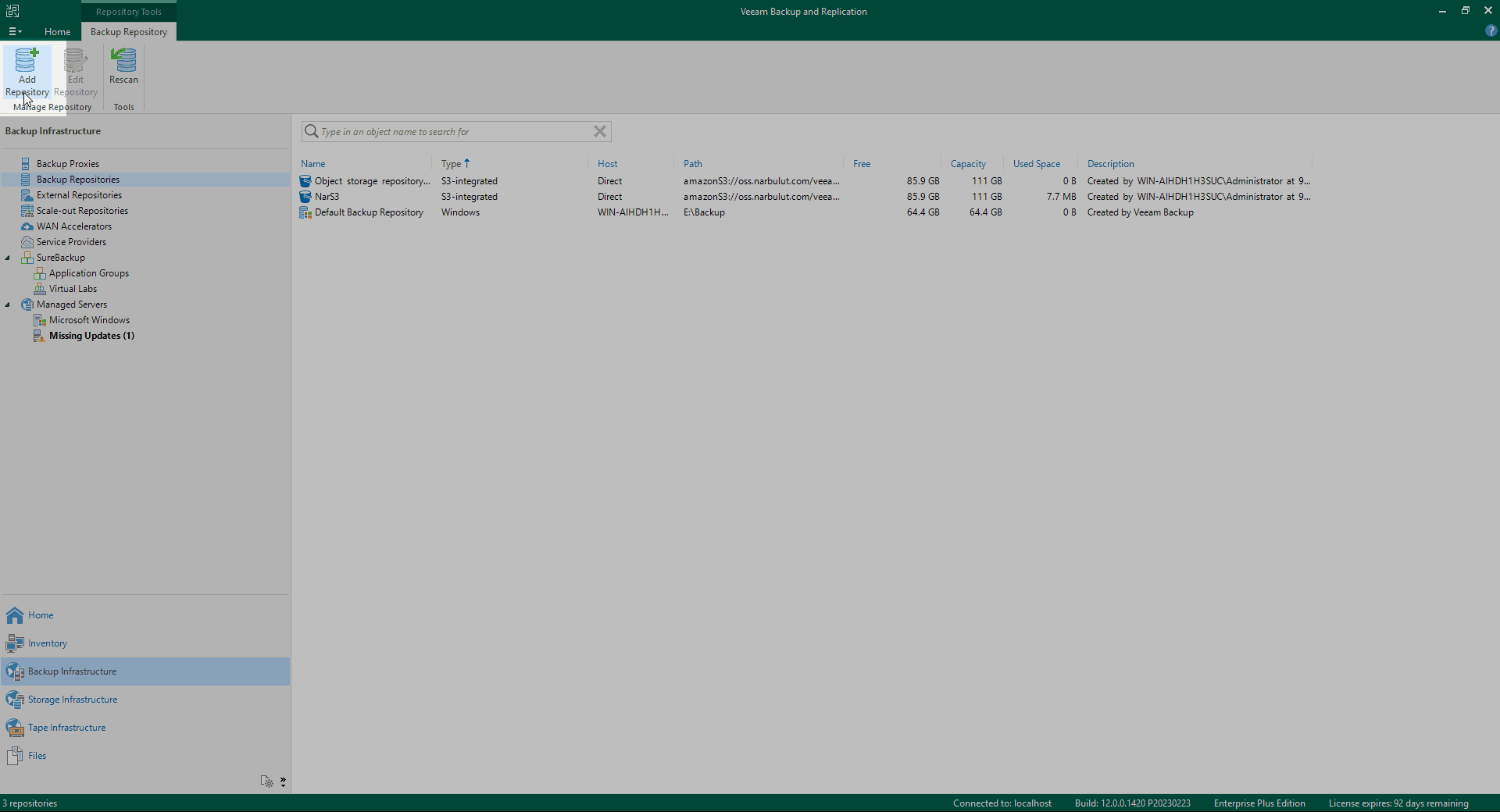
3. In the top toolbar Add Repository Click .
4. Select the reserve tank type from the menu that opens. Object storage Select as.
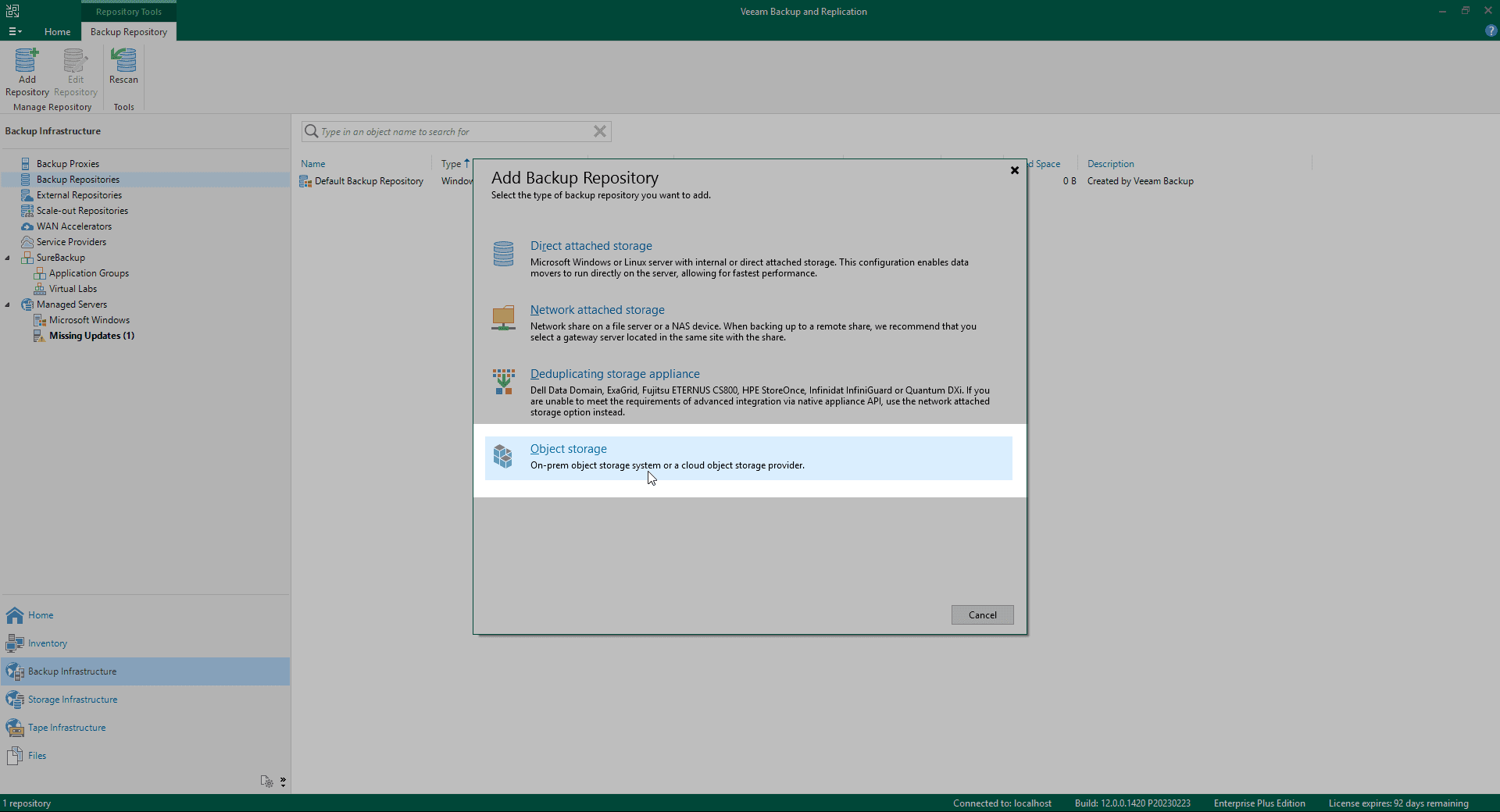
5. Nesne depolama tipini S3 Compatible Select as.
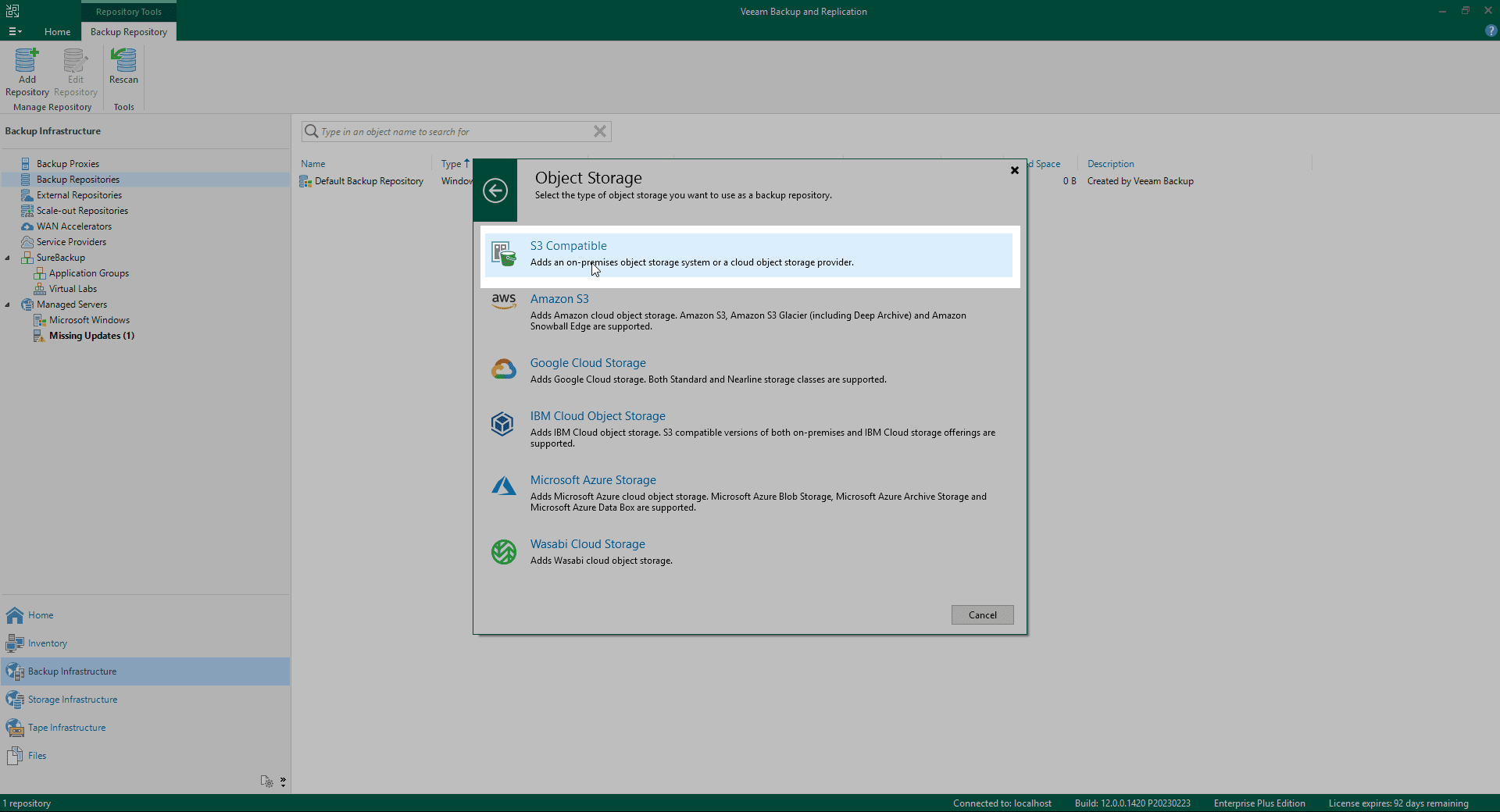
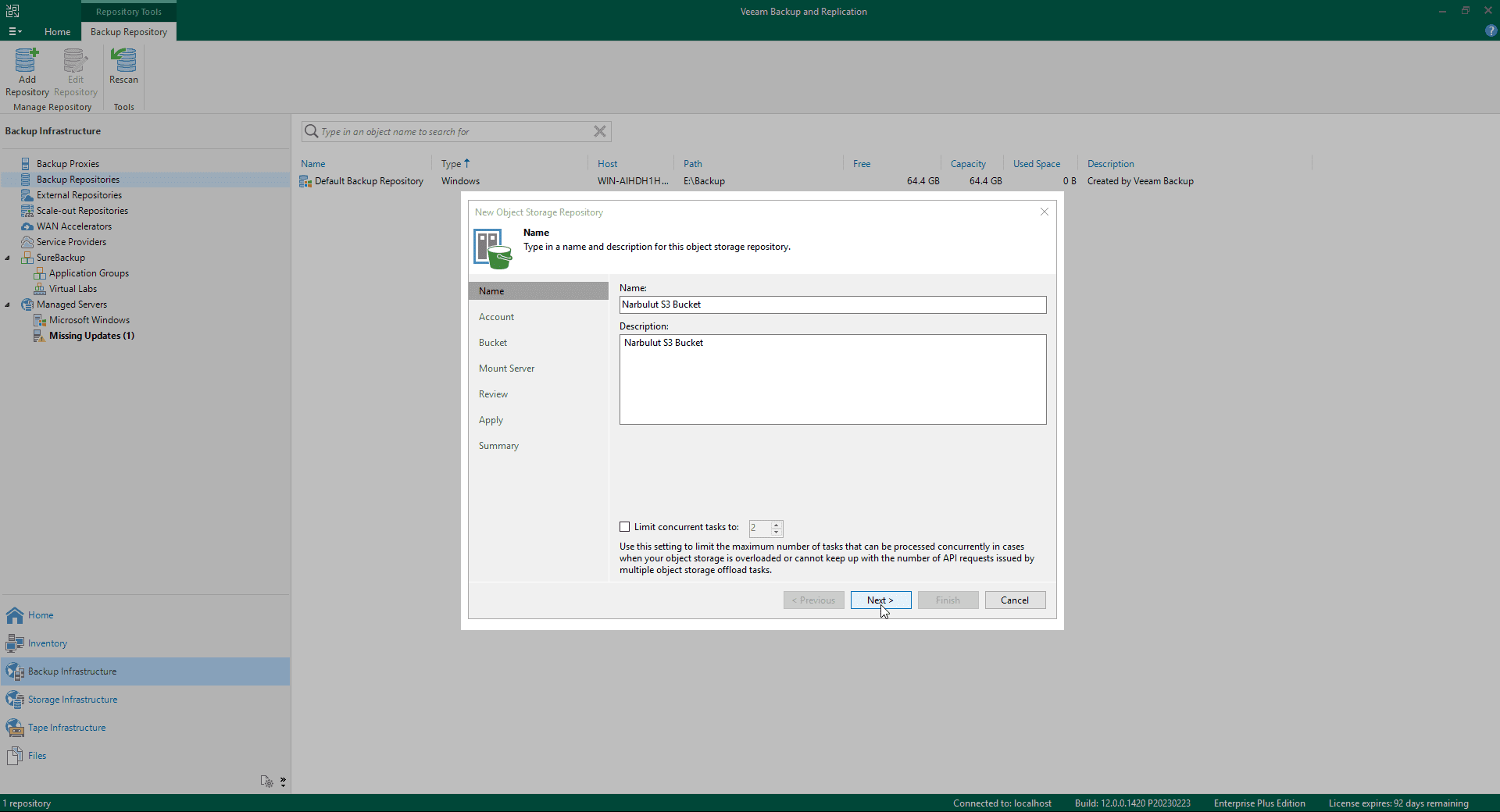
6. Depoya bir isim verin.
7. Enter the access information given to you by Narbulut.
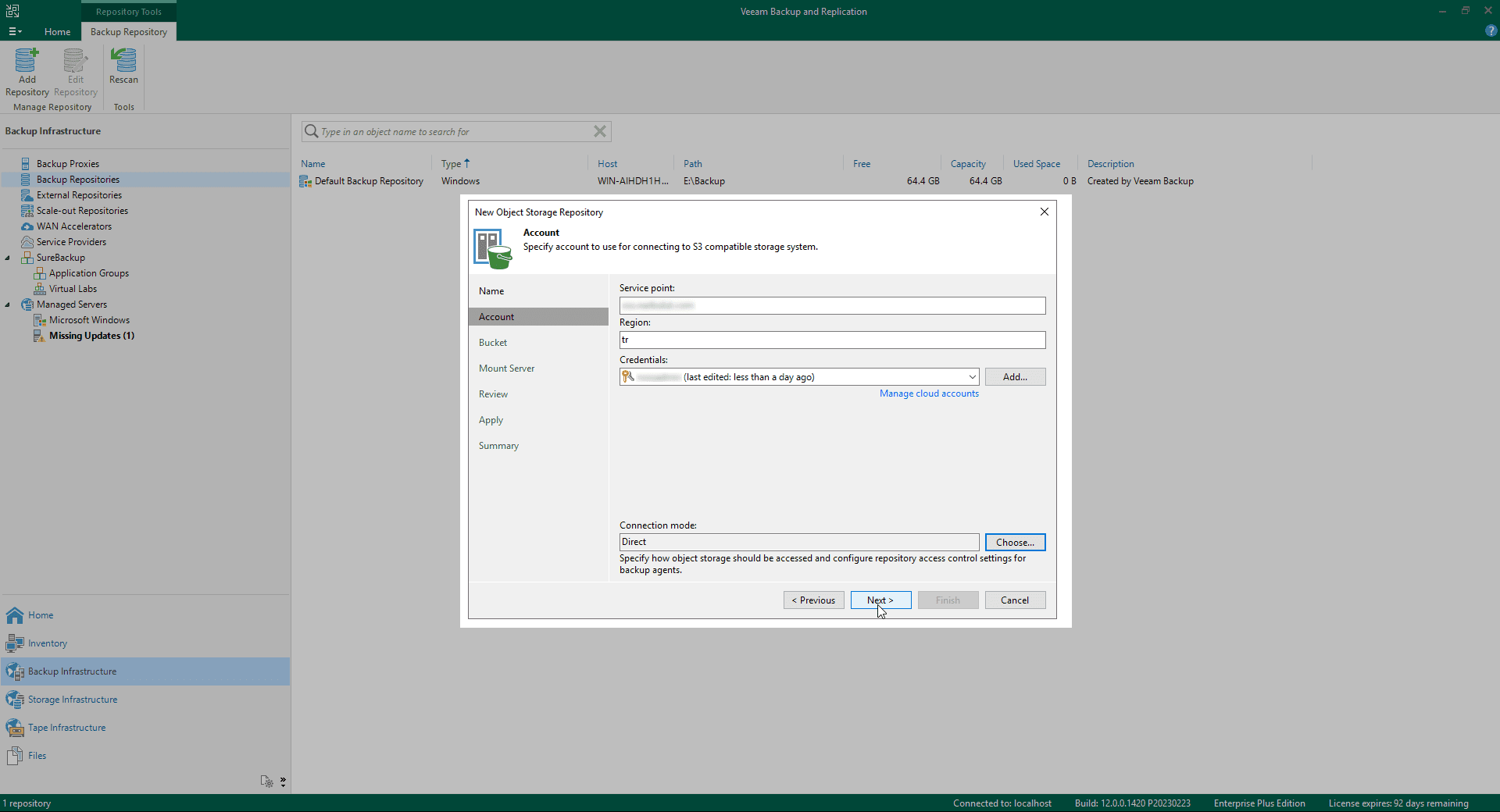
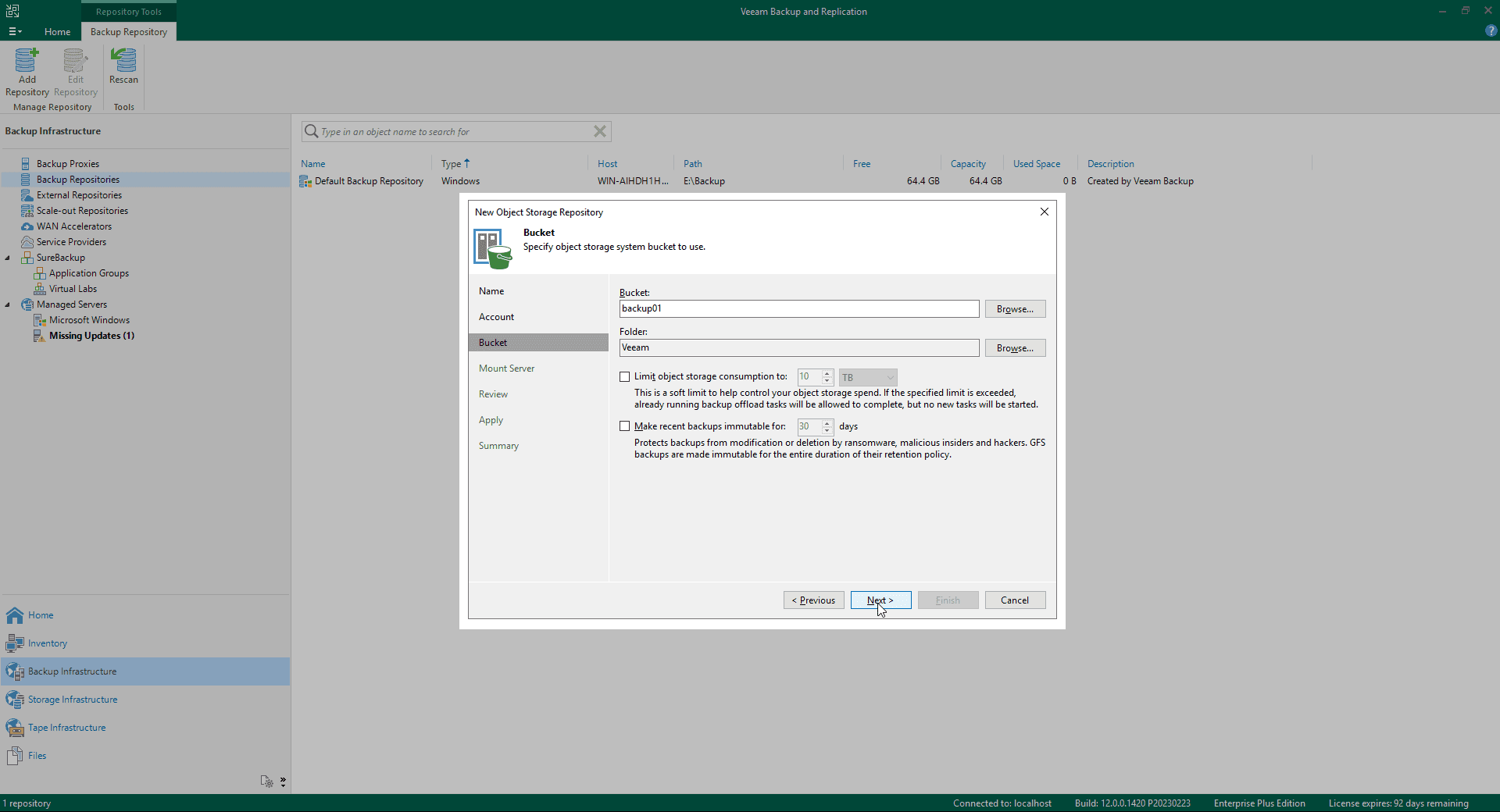
8. Related Browse Using the buttons, select the Bucket to backup and the folder in it. Set restrictions for objects to be sent to storage.
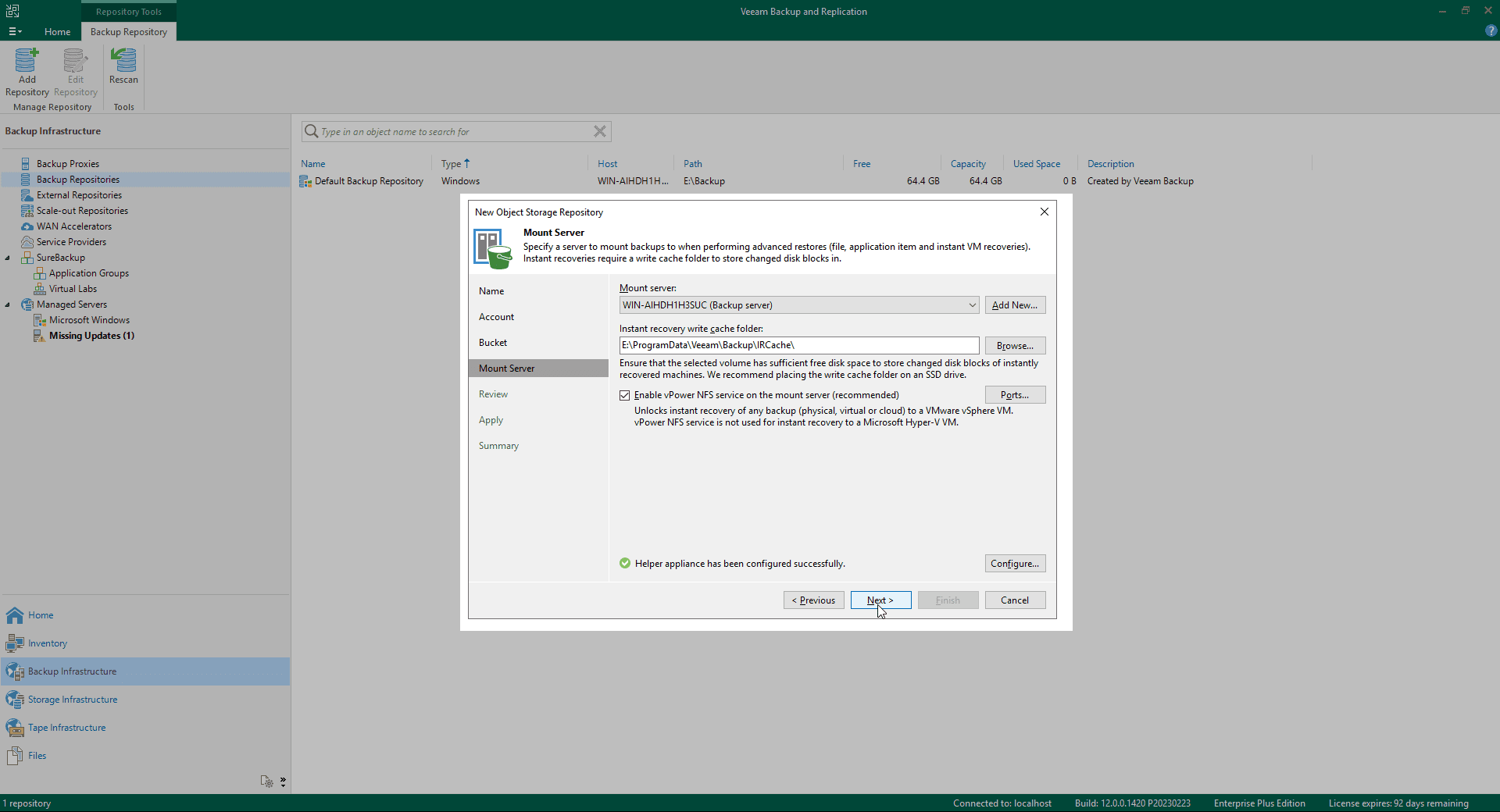
9. To be used for advanced restore operations Mount Server Make your selection.
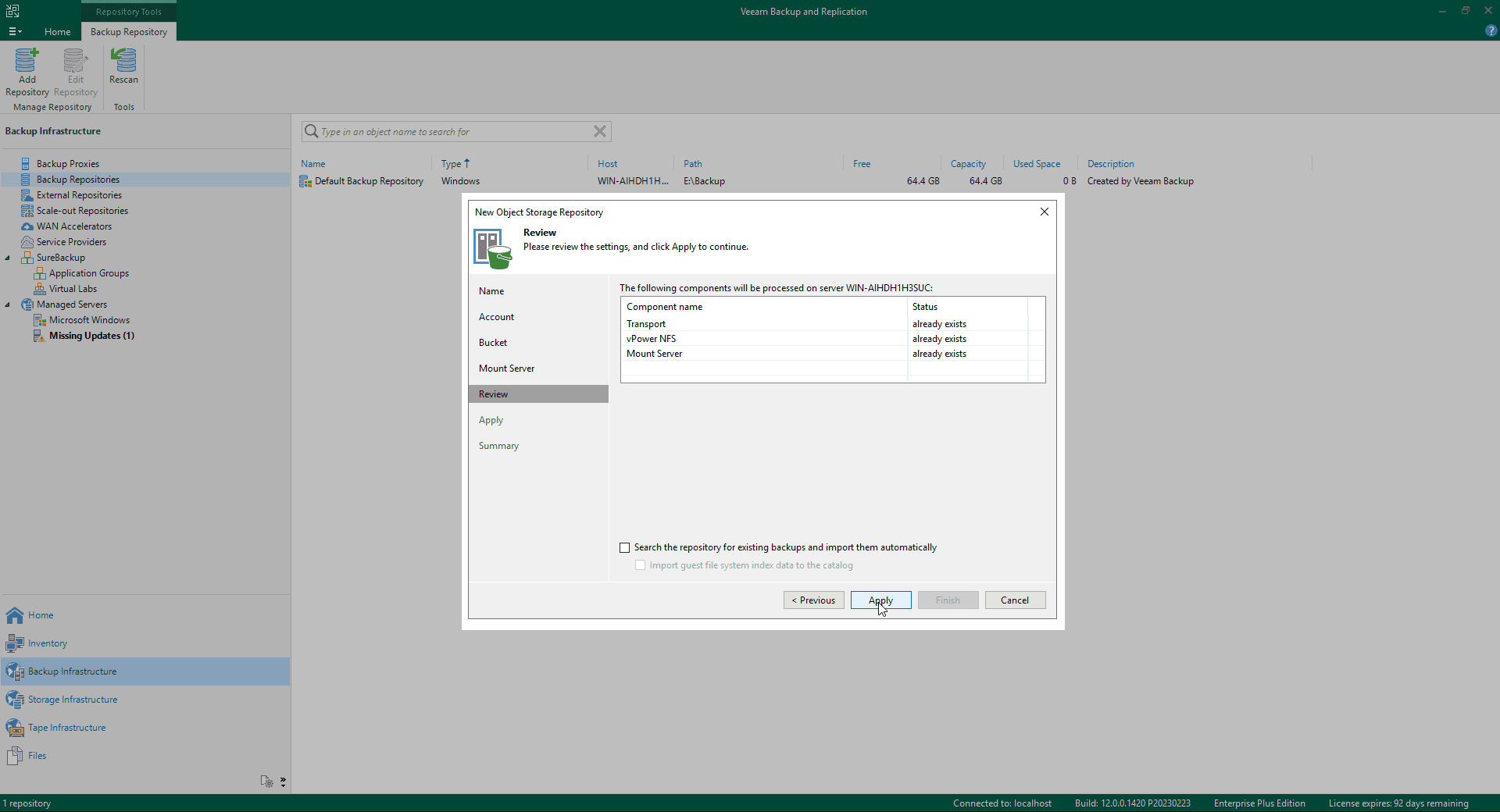
10. Review the settings to be applied.
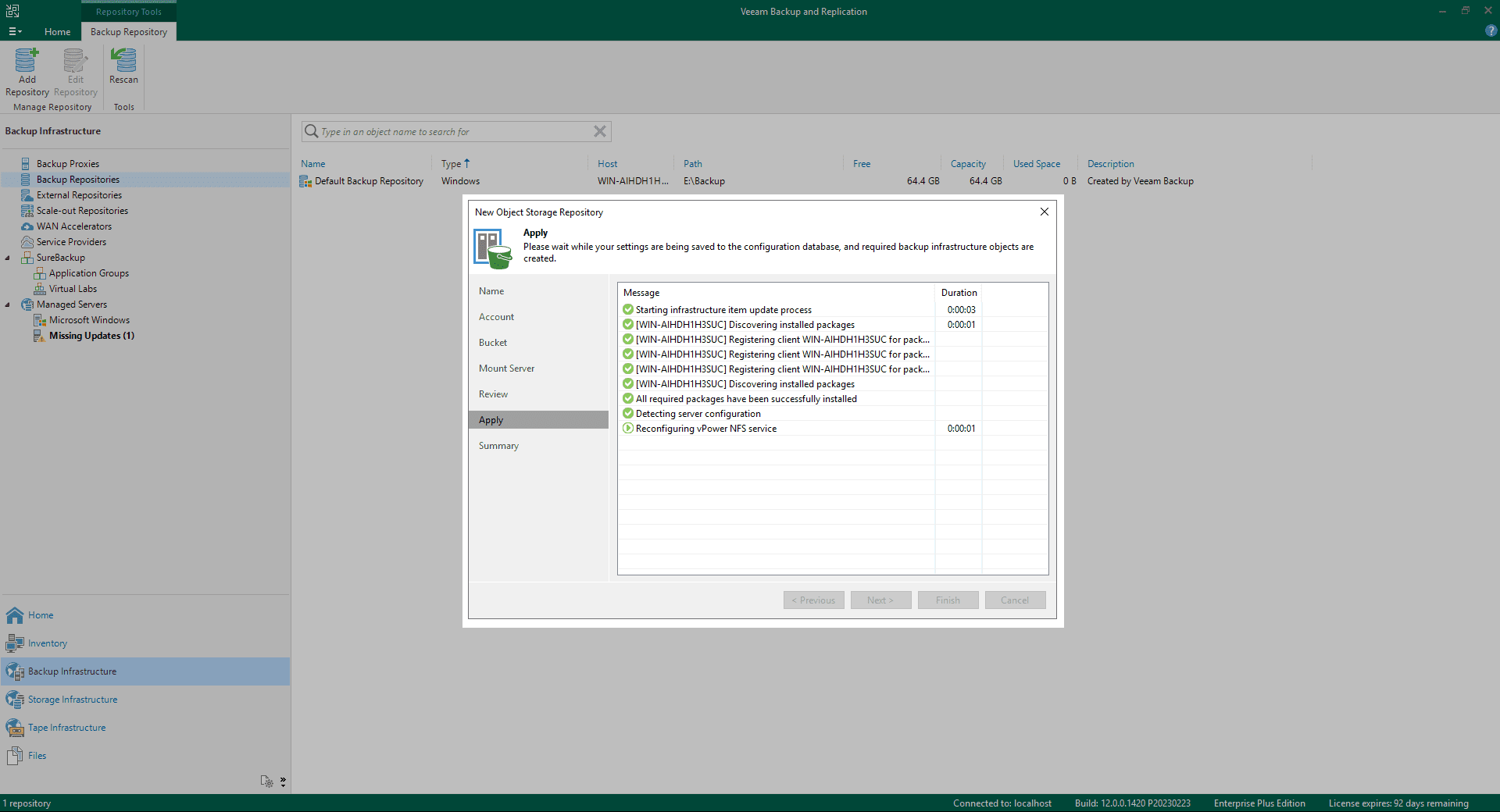
11. Wait while your settings are applied.
12. Review the backup store summary and finalize the process.
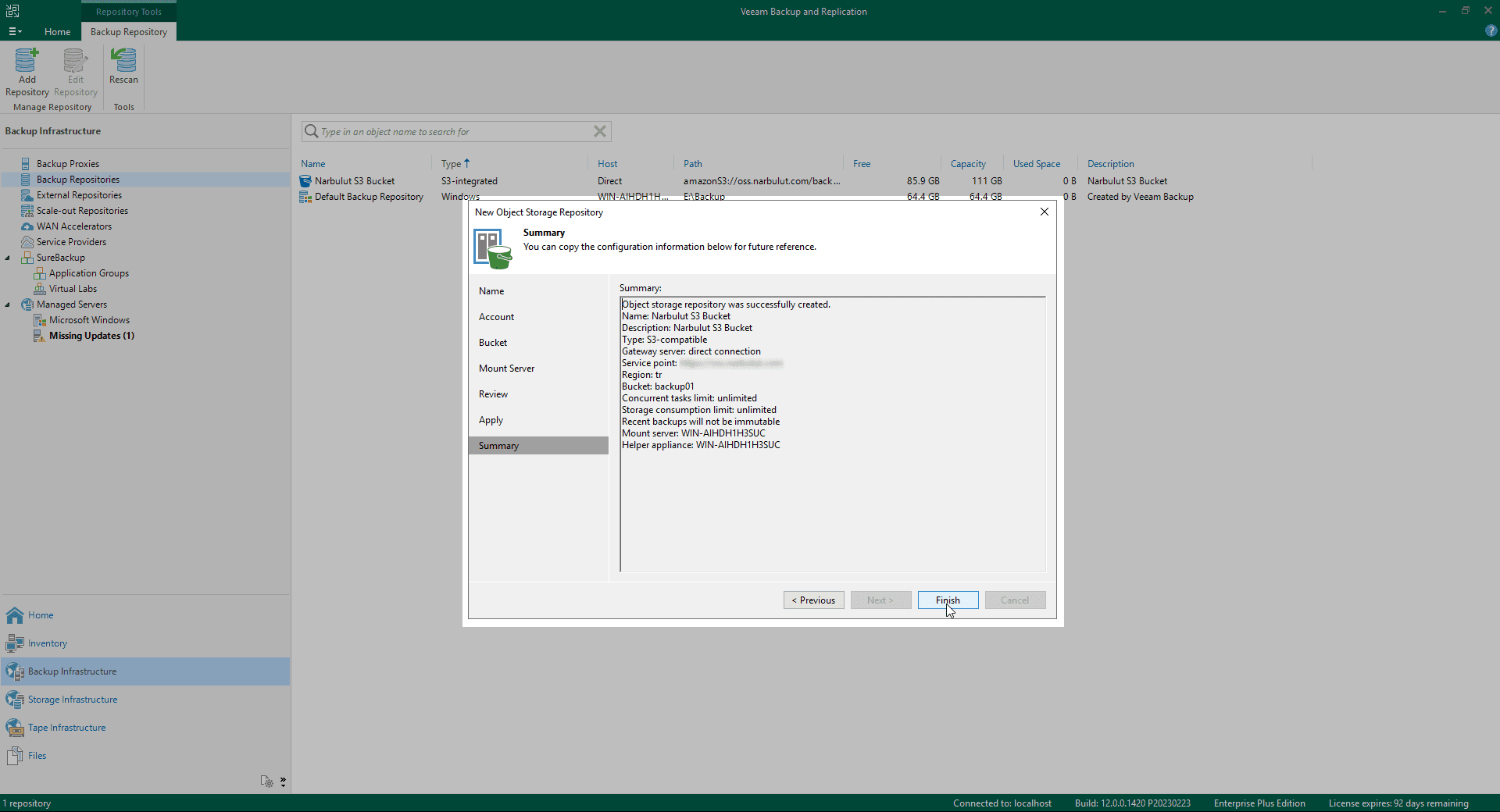
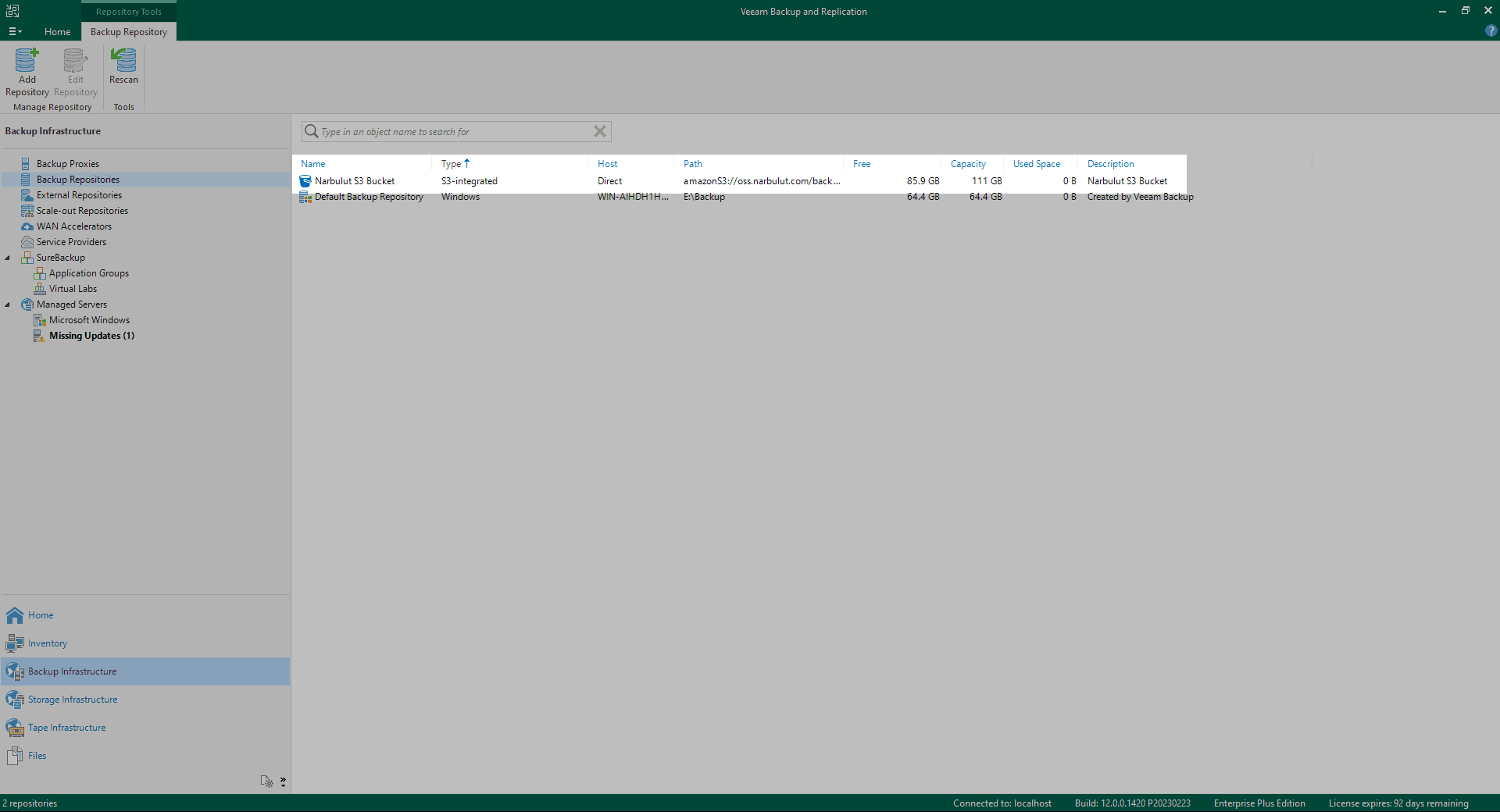
With this step Backup Repository You have completed the creation process. You can import your backups to NOSS by using this backup repository in your backup jobs.
Pay for What You Need, Access from Anywhere
Narbulut Object Storage Service price calculator You can access special prices according to your data size by using You can access the data in NOSS from anywhere you want with the access address and information given to you by Narbulut.

