White-Label Deployment
Serve your customers under your own brand. With customizable panels and dedicated branding options, deliver top-quality service under your own name.
What You Need to Complete Before Getting Started
Domain Redirect
Point the domain you will use with your brand to the server address provided to you via DNS settings.
SSL Certificate
Obtain an SSL certificate for your domain. Send the certificate and private key file to ssl@narbulut.com.
Reseller Panel Login
Log in to your reseller panel with your admin account and click the "Create Your Brand" button to complete the steps below.
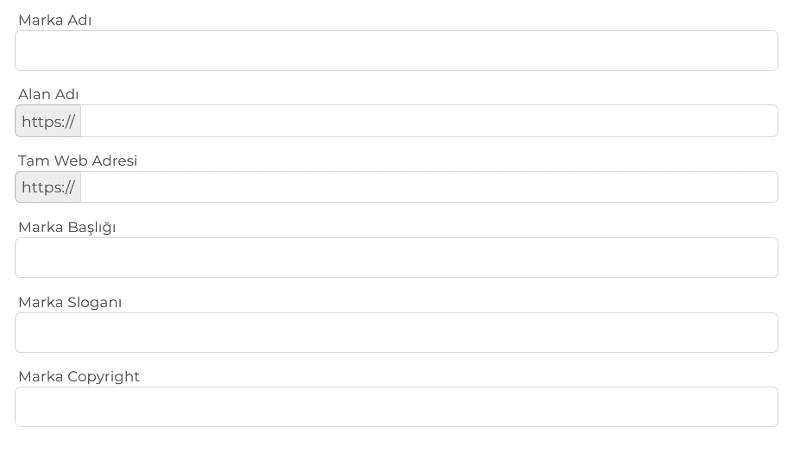
Brand Settings
Fill out the form in this section completely to use the Narbulut web panel with your own brand title and slogan. Enter your company name, slogan, and brand color codes to fully customize the panel appearance.
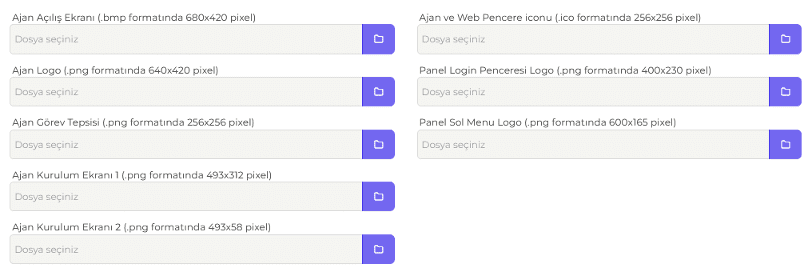
Brand Logo Settings
Upload your logo file in the format and dimensions specified in this section to use the Narbulut web panel and application with your own brand logos.
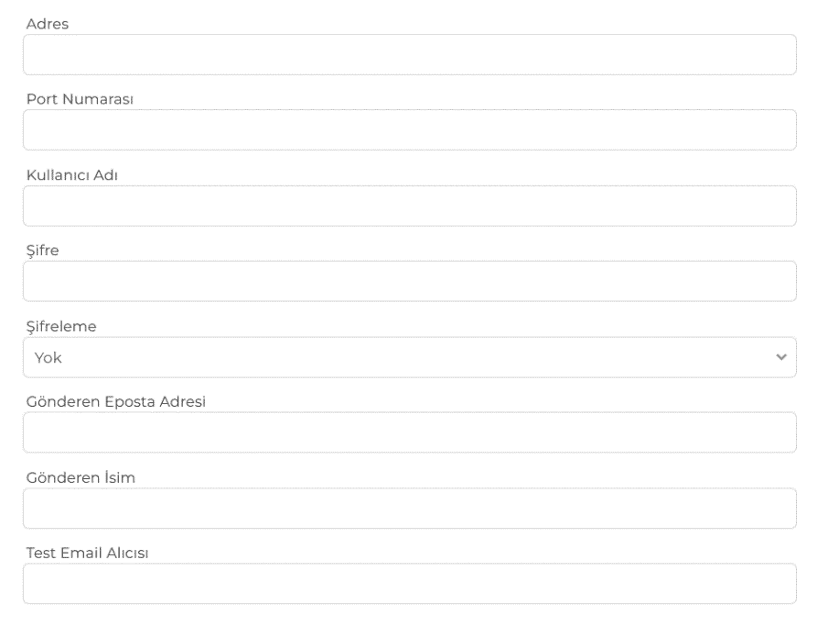
Brand SMTP Settings
Fill in the "Brand SMTP Settings" section completely so that email notifications sent to your customers come from your own email addresses. If you do not configure these settings, alerts and notifications cannot be sent via email.
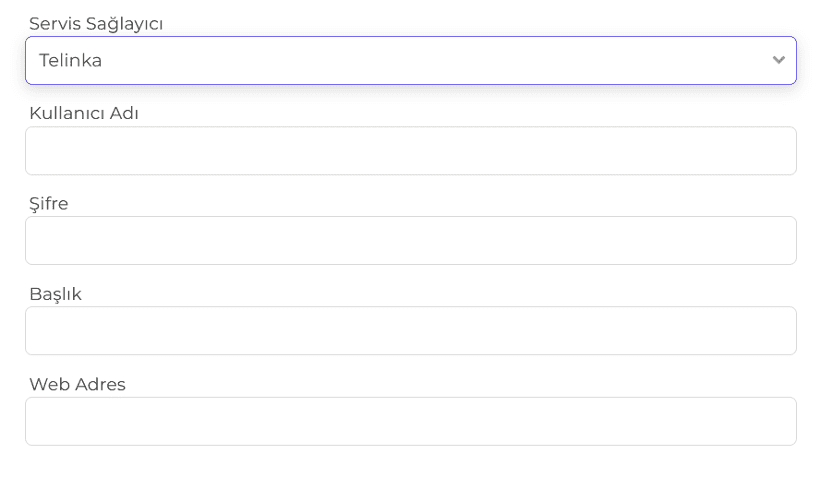
Brand SMS Settings
Select a service provider in the "Brand SMS Settings" section and enter your account details so that SMS notifications sent to your customers are branded with your name. To use SMS notifications under your brand, please request the BTK approval form. Note: After completing these steps, please inform your account representative.
Have any questions?
Browse our frequently asked questions. Contact us for more information.


