It is very easy to back up SQL Databases with Narbulut!
It is very easy to back up your databases with Narbulut!
Merhaba,
With the Narbulut application, you can easily back up your SQL database files of CRM, ERP, MRP and accounting applications and access these data whenever you need.
To Back Up Your Database Files;
Click on the SQL Backup menu on the Narbulut Application. A scheduled task must be set up before SQL Backup can be performed. To create a task +Yeni Click the button.
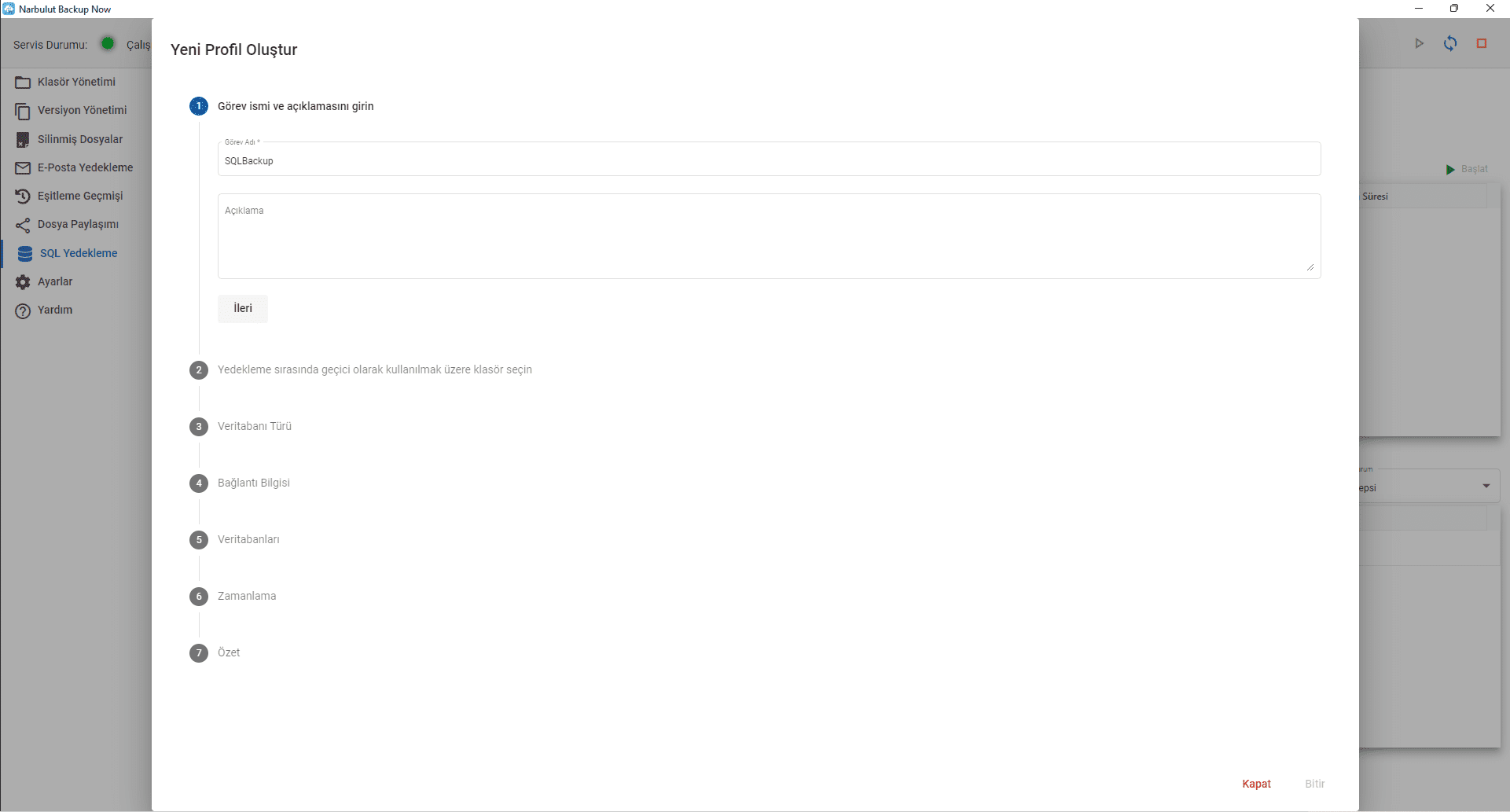
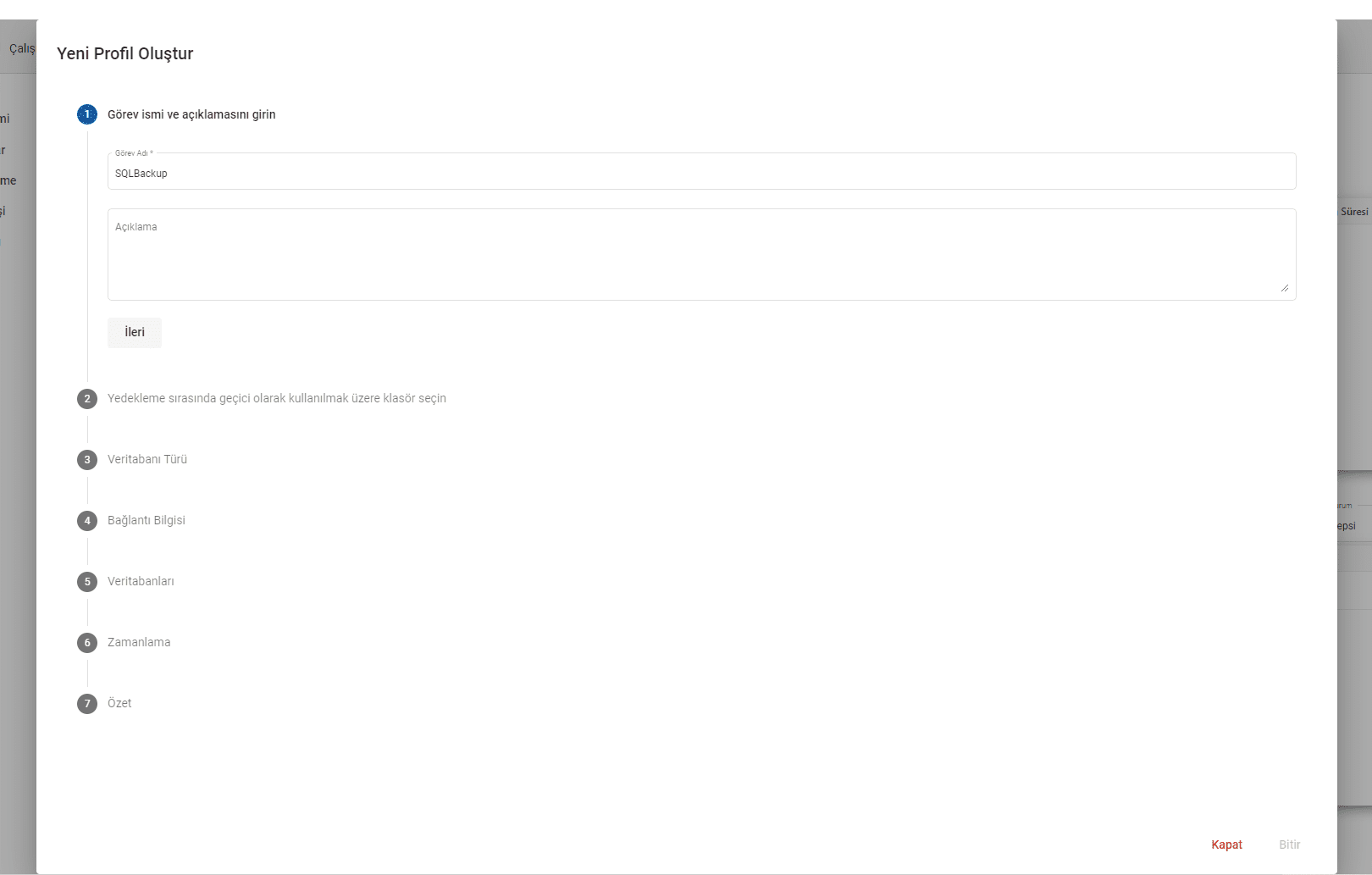
In the window that opens, enter a name for this task and add a description if desired, ForwardClick on.
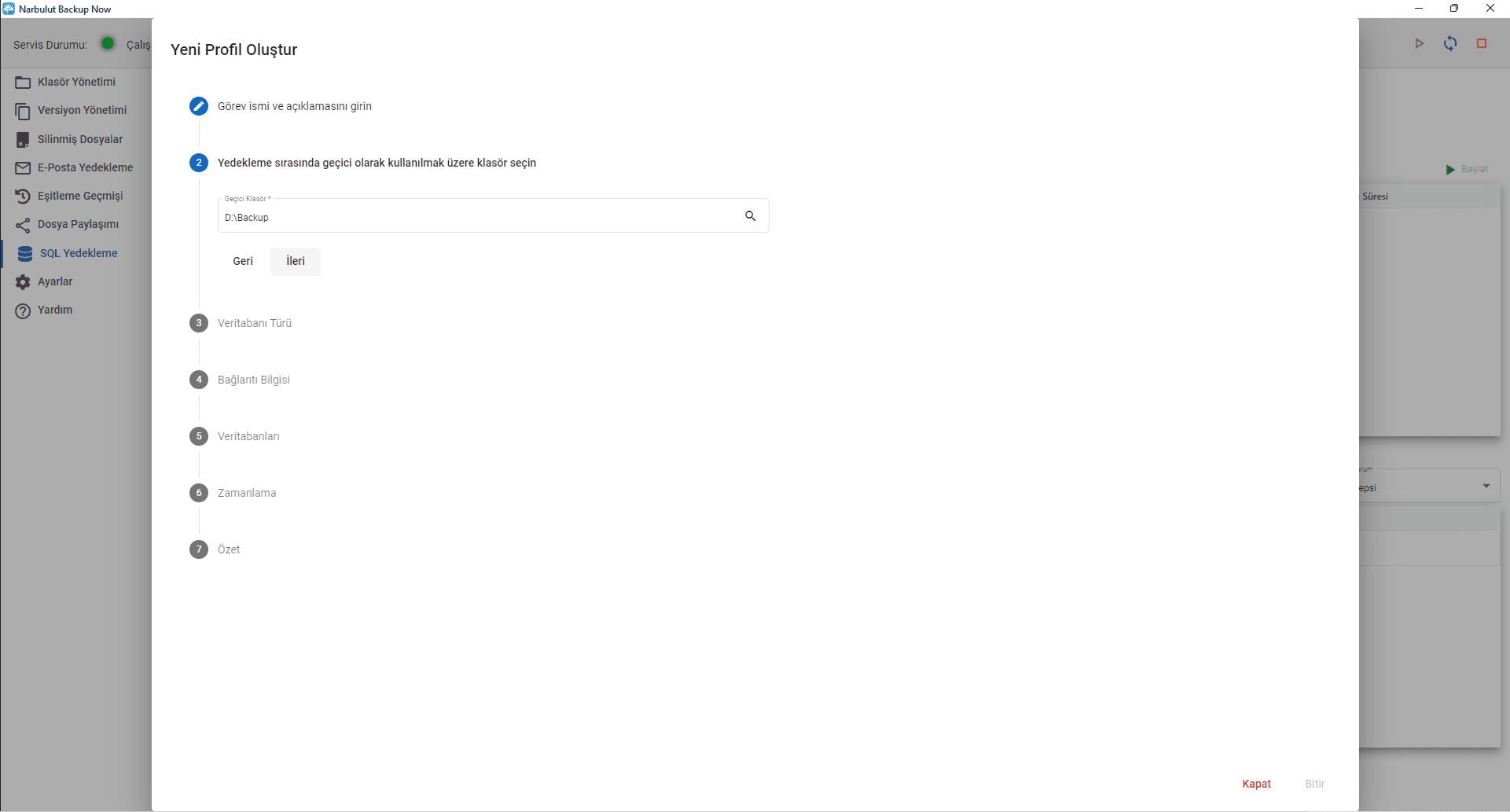
In this step, you must select a temporary folder on a suitable disk to create temporary backup files of your SQL Databases. (There is a need for space on the disk equal to the size of the database.), ForwardClick .
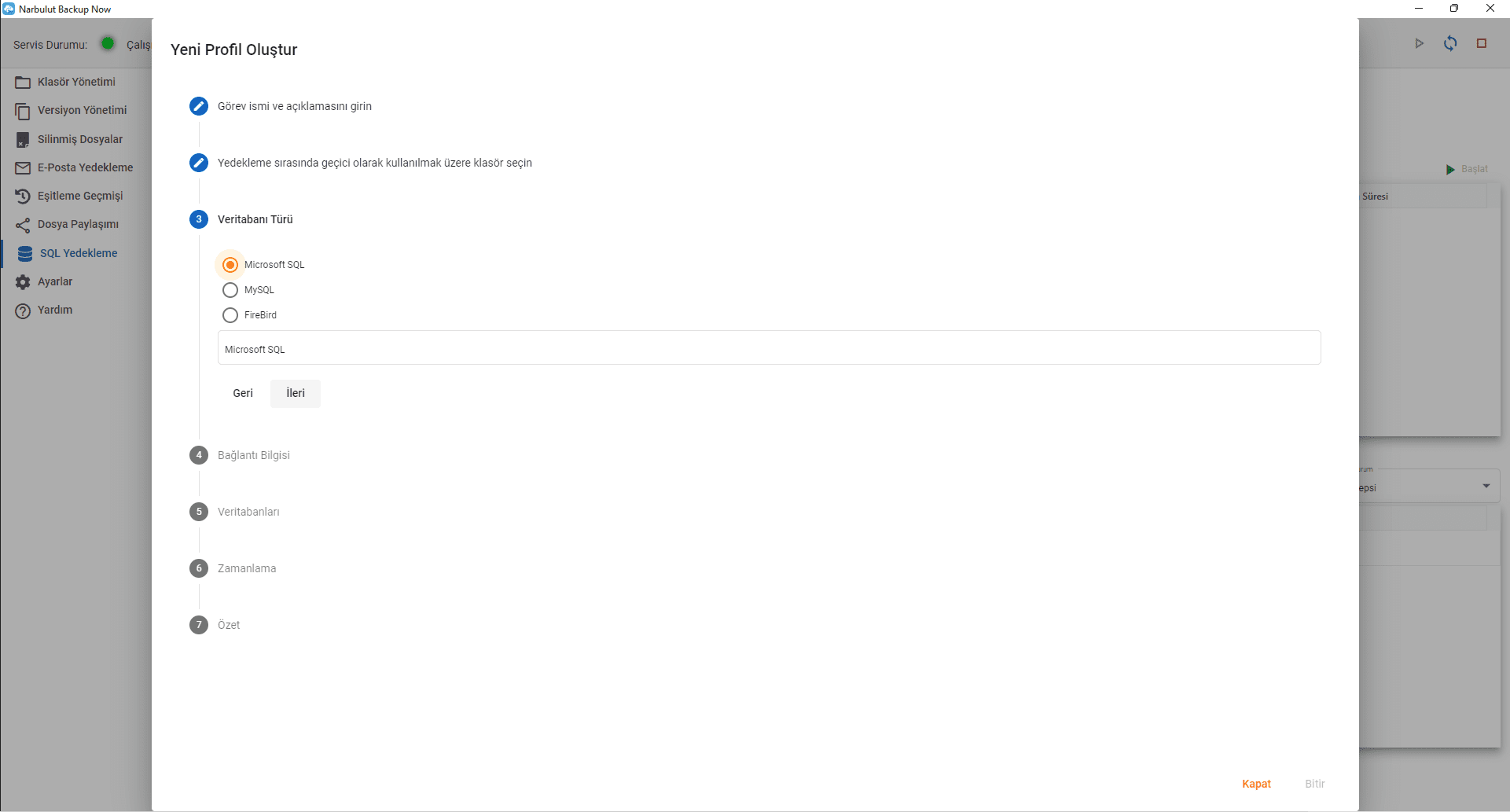
In this step, select the database type you have among MS SQL, MYSQL and Firebird options and ForwardClick .
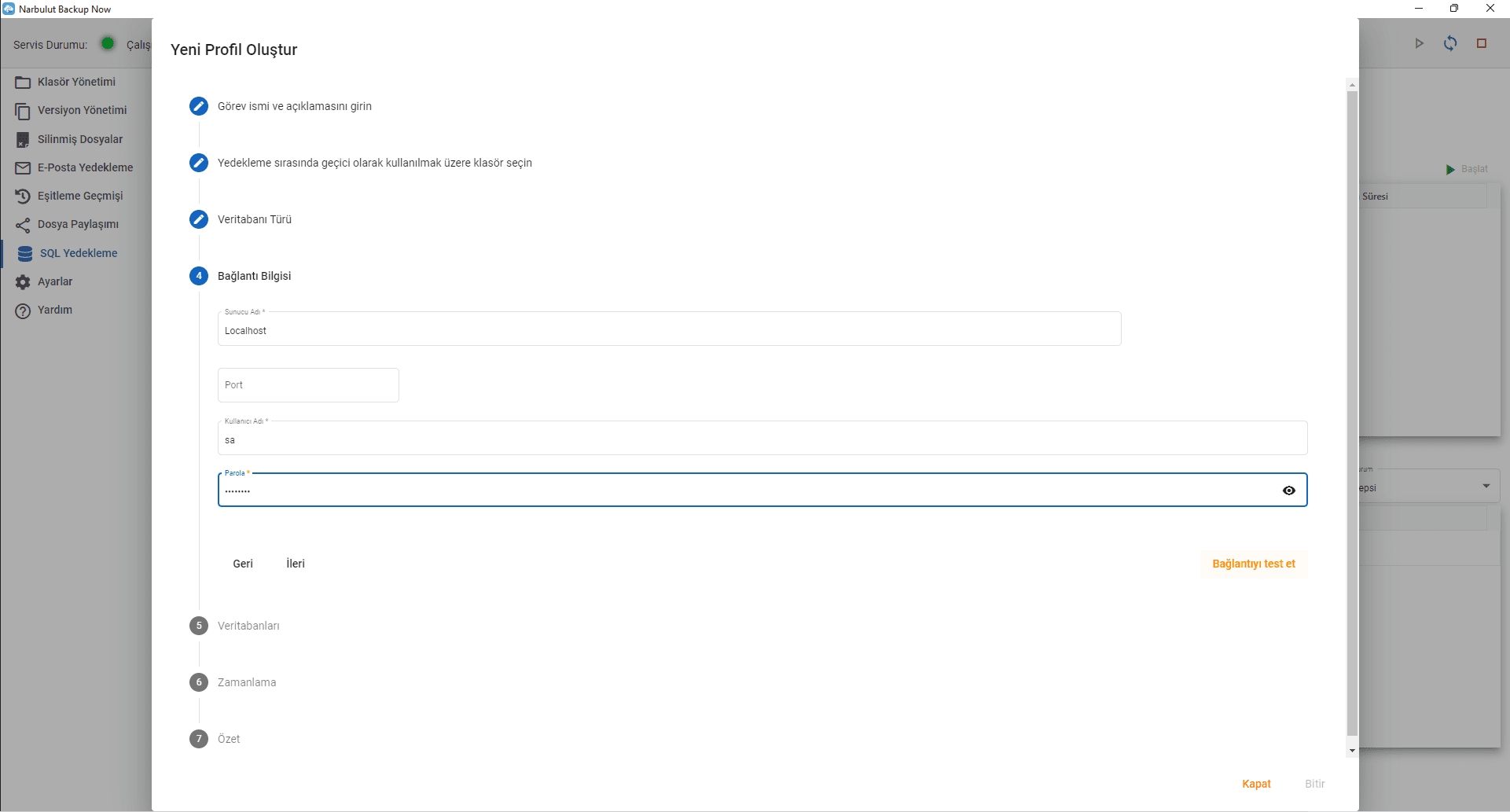
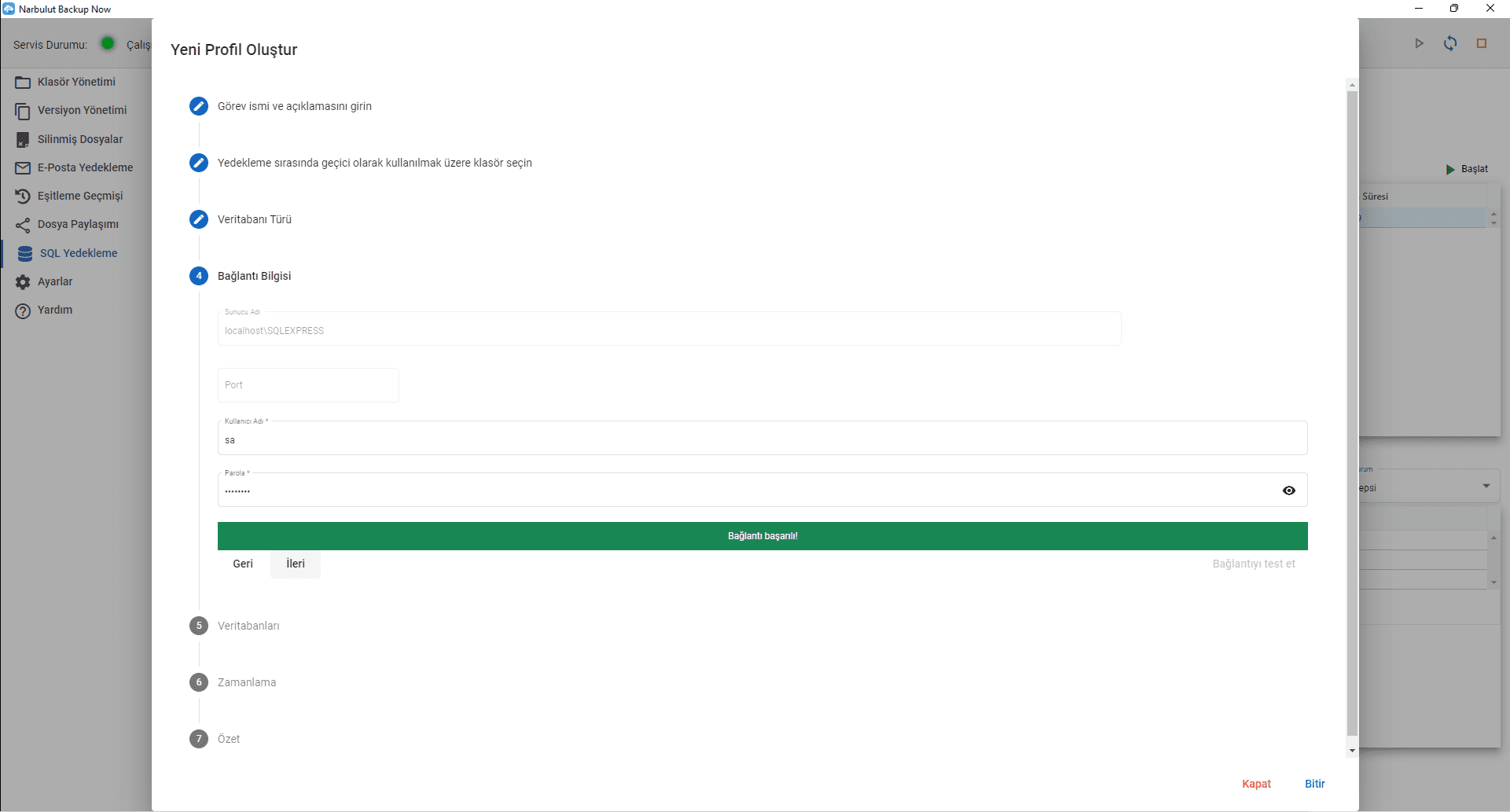
In this step, enter your SQL server login information (server name, port [if not default], username and password) so that your databases can be backed up, click the ‘Test connection’ button to check whether the correct parameters have been entered. click, with ‘ highlighted in green if everything is correctconnection successfulYou will see ‘ , otherwise you will see ‘ highlighted in red.server errorYou will be informed as follows. When the connection is confirmed Forward’Click .
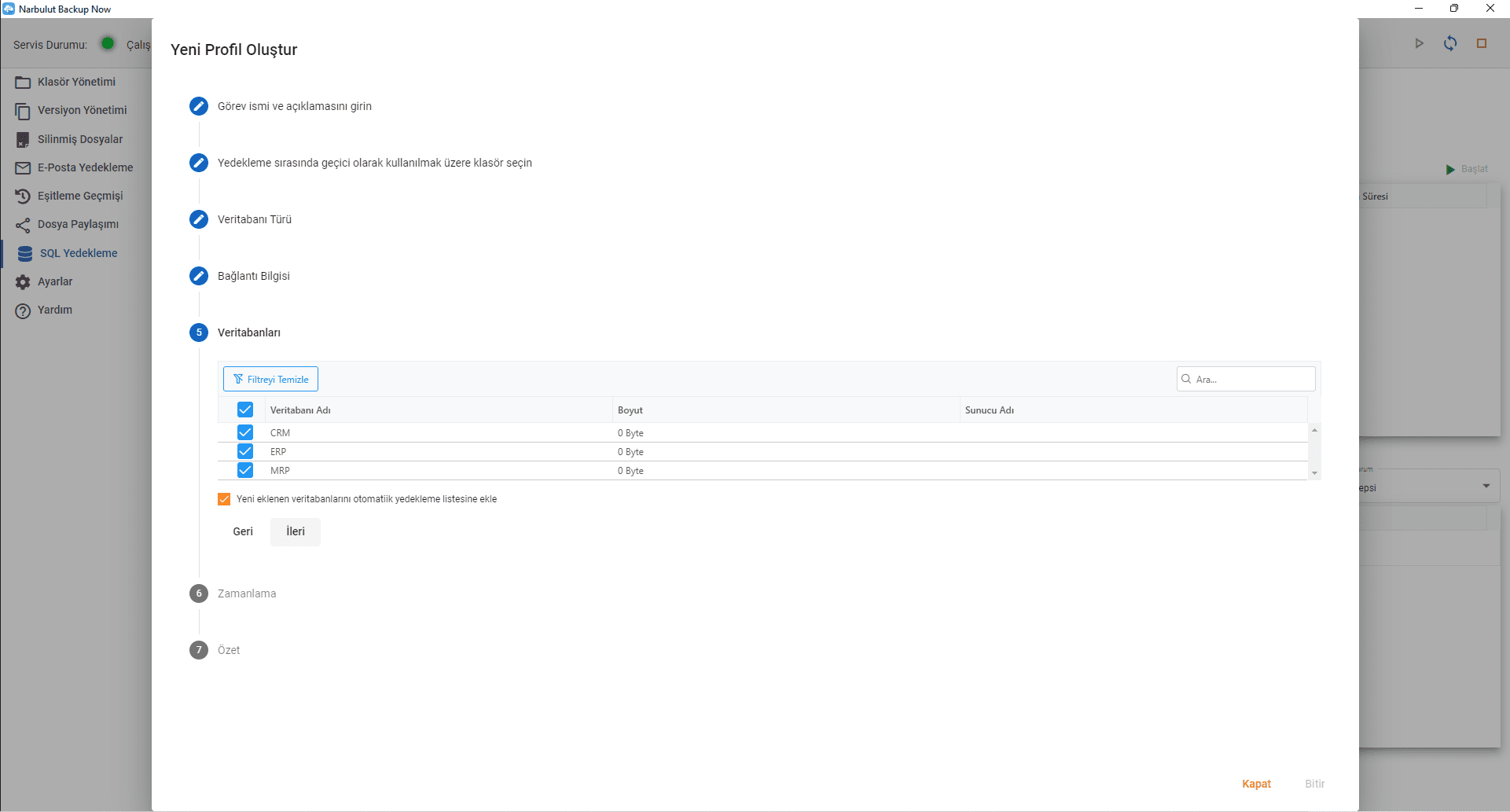
In this step, all databases present on this server will appear, select which one you want to backup or click on the checkbox next to the database name to select all databases on this server, if you click on this option, you will see a checkbox at the bottom of the list regarding adding new databases created in the future to the backup task. When you click on this option, all existing and future databases will be included in this task, ForwardClick .
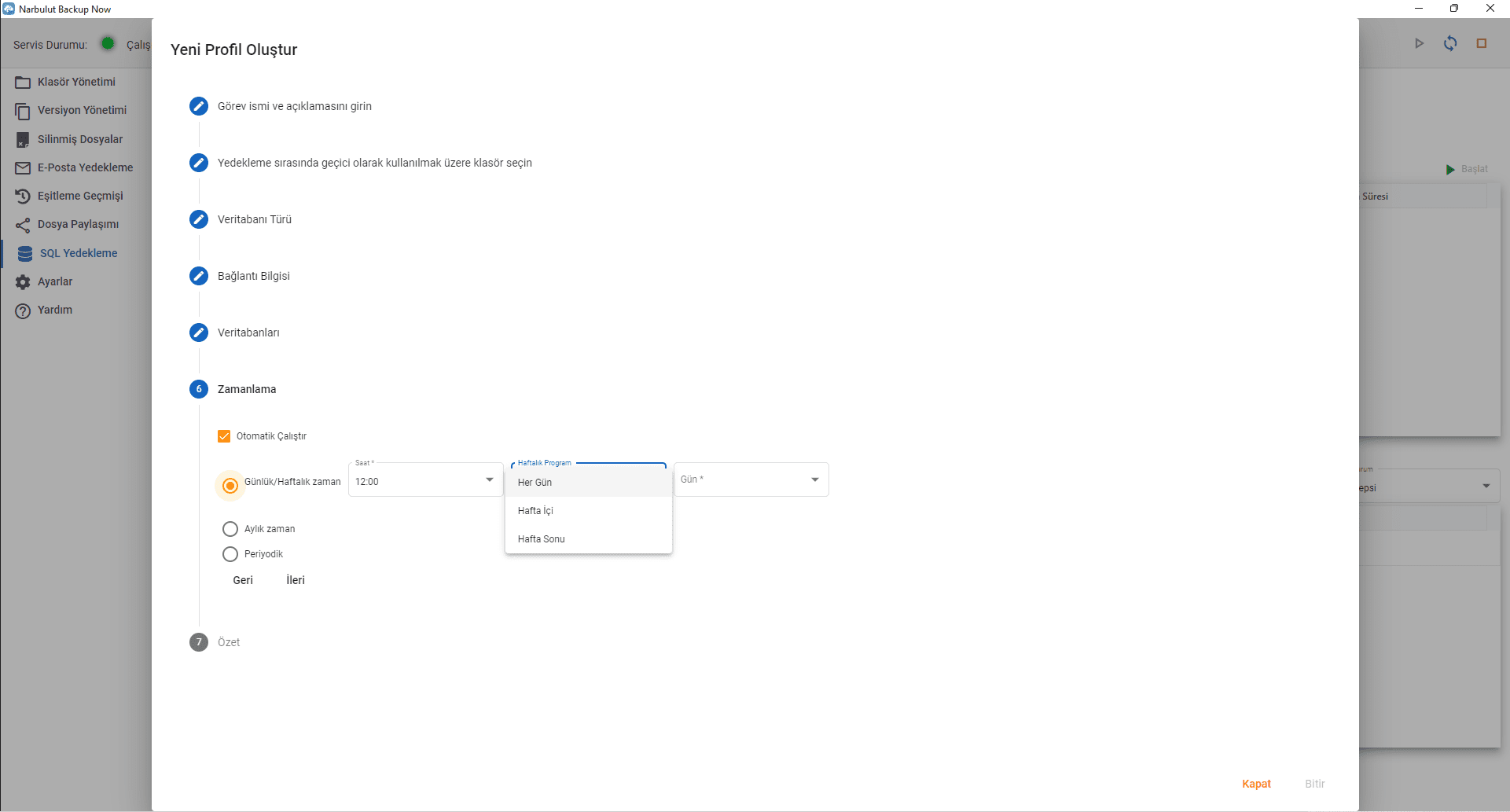
In this step, you can set the schedule of the task. Decide the time period you want from daily/weekly, monthly or periodic options. Periodic option is recommended for healthy backups.
In the daily/weekly option, you can set the backup time on certain days. When you select this option, the Narbulut application automatically backs up your SQL databases at the specified time if your computer is connected to the internet.
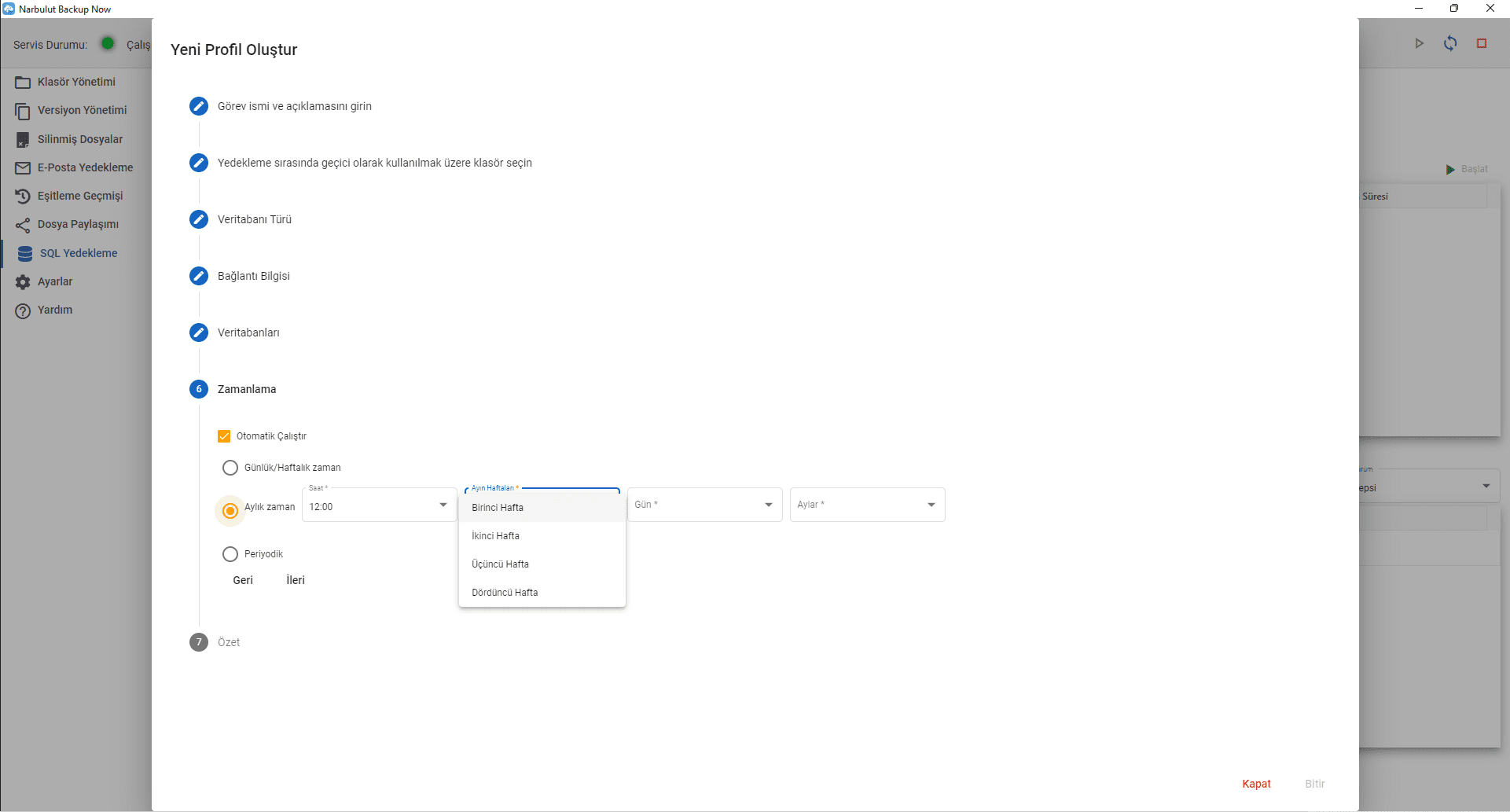
In the Monthly option, you can set which month, which week of the month and on which days of the week the backup will be made.
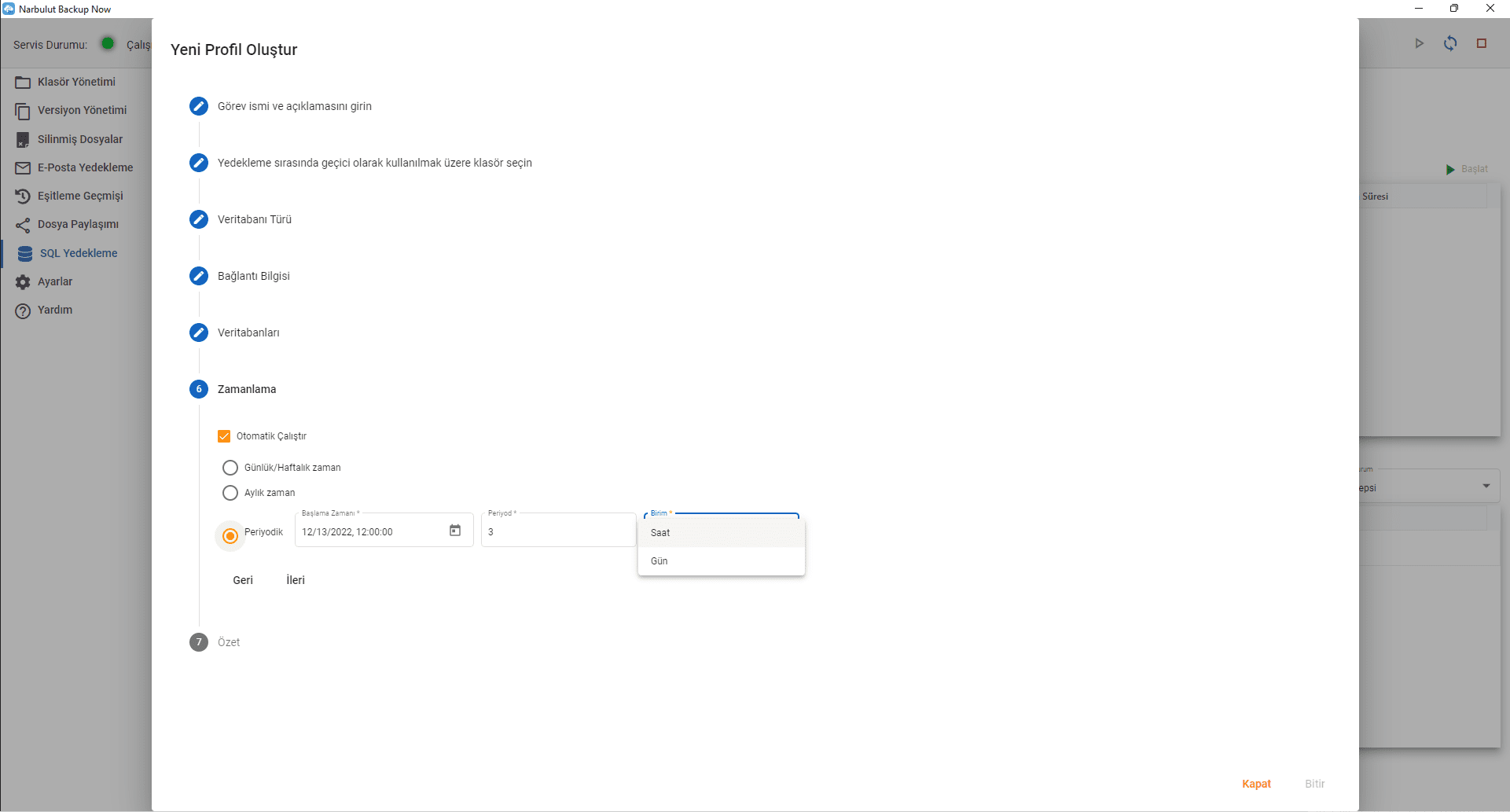
In the Periodic option, you can define the start time of the backup task and backup periods, starting from once every hour to infinite possibilities. Because of this flexibility, the periodic option is recommended.
Narbulut will back up your databases to the cloud and keep records of all processes. Narbulut warns you by sending notifications when any problems occur.
You can log in to the web panel with your user information and check your backups. Narbulut will safely store your SQL database backups, including all versions, until you need them.
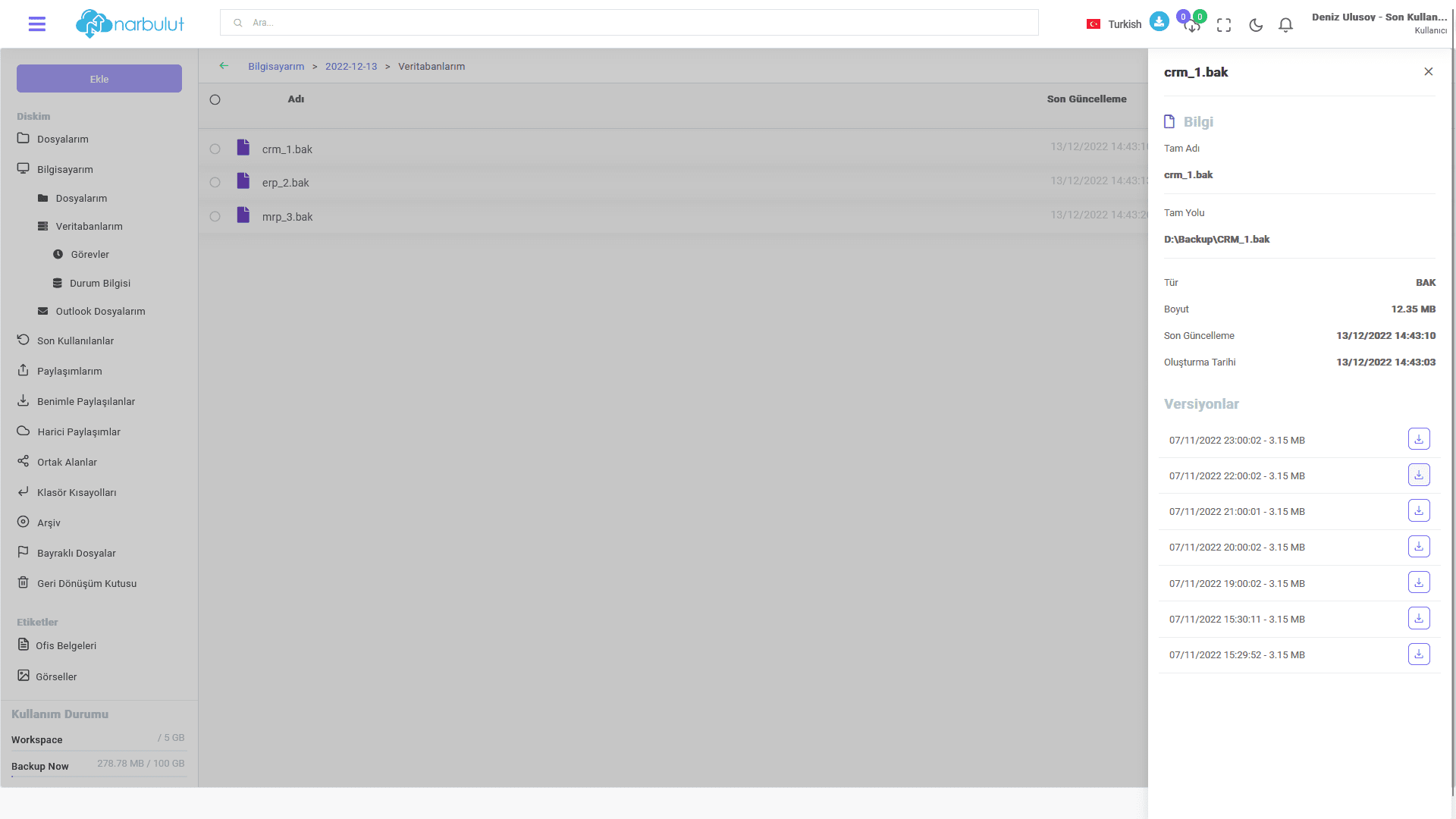
You can see all versions when you need and download the backup you want from wherever you want. You can also use our free Narbulut Restore Now application to restore database backups.
Have the Best Experience
Narbulut offers simple installation, effortless operation and extensive backup solutions. The most important feature that distinguishes Narbulut from its competitors is the care it shows to its customers and business partners.

